

Create a Jet Analytics package
A Jet Analytics package runs an execution package from a Jet Analytics repository, so a Jet estate can be scheduled and monitored alongside the rest of your data platform.
Prerequisites
- A Jet Analytics repository reachable either from TimeXtender Cloud or through a gateway.
- An execution package already defined in that repository. This type runs execution packages; it does not create them.
The selection chain
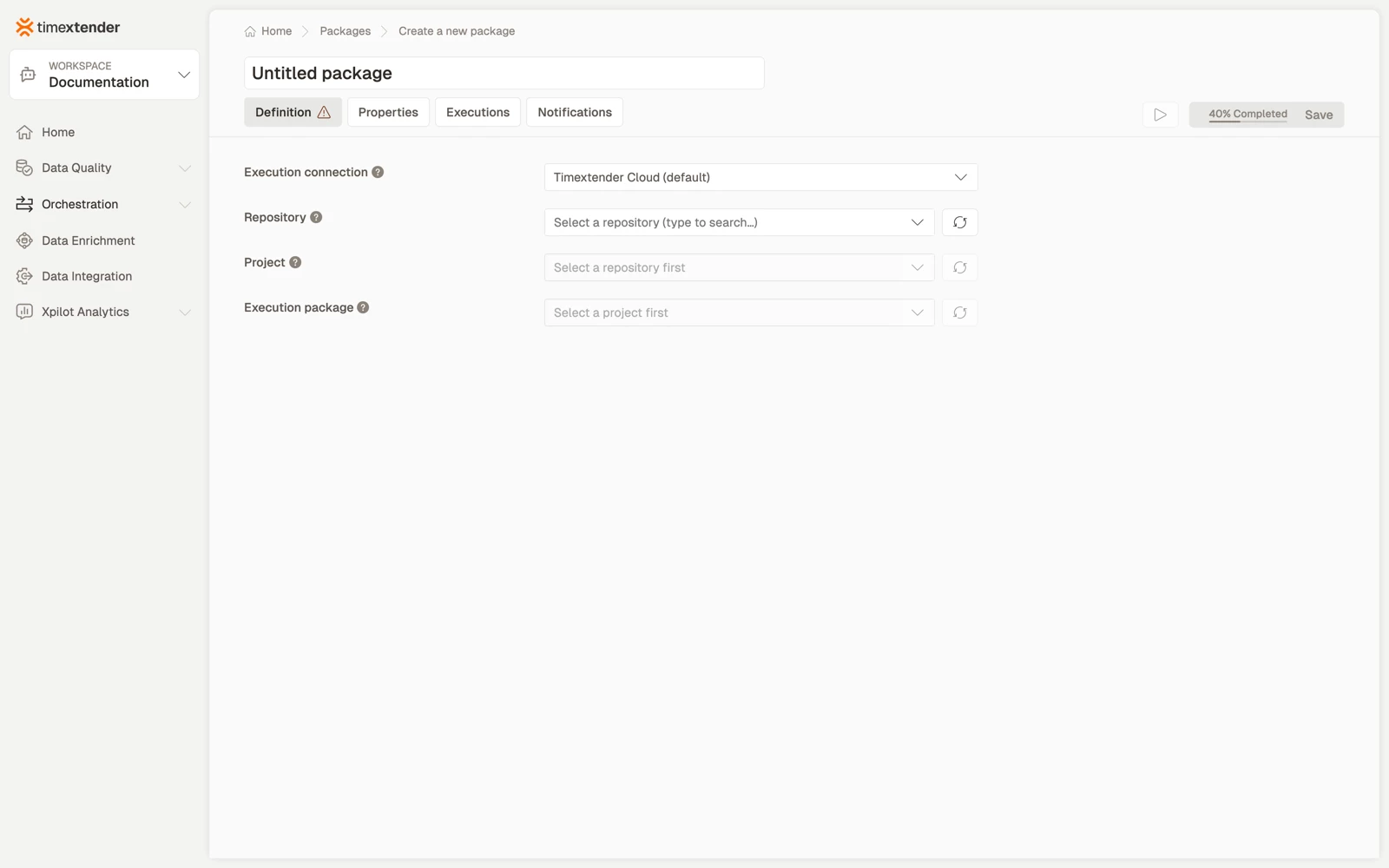
The fields follow a chain: Gateway > Repository > Project > Execution package. Each field loads the next, and each has a refresh button. The editor describes them as follows.
- Execution connection. The gateway that runs the package. Timextender Cloud runs it without an on-premises gateway.
- Repository. The Jet Analytics repository reachable through the selected gateway.
- Project. The project within the selected repository.
- Execution package. The execution package to run from the selected project.
This type can run in TimeXtender Cloud. A gateway is needed when the repository sits on your network and is not reachable from the cloud, which is the usual case for an on-premises SQL Server holding a Jet Analytics repository.
Create the package
- Go to Orchestration > Packages and select Create.
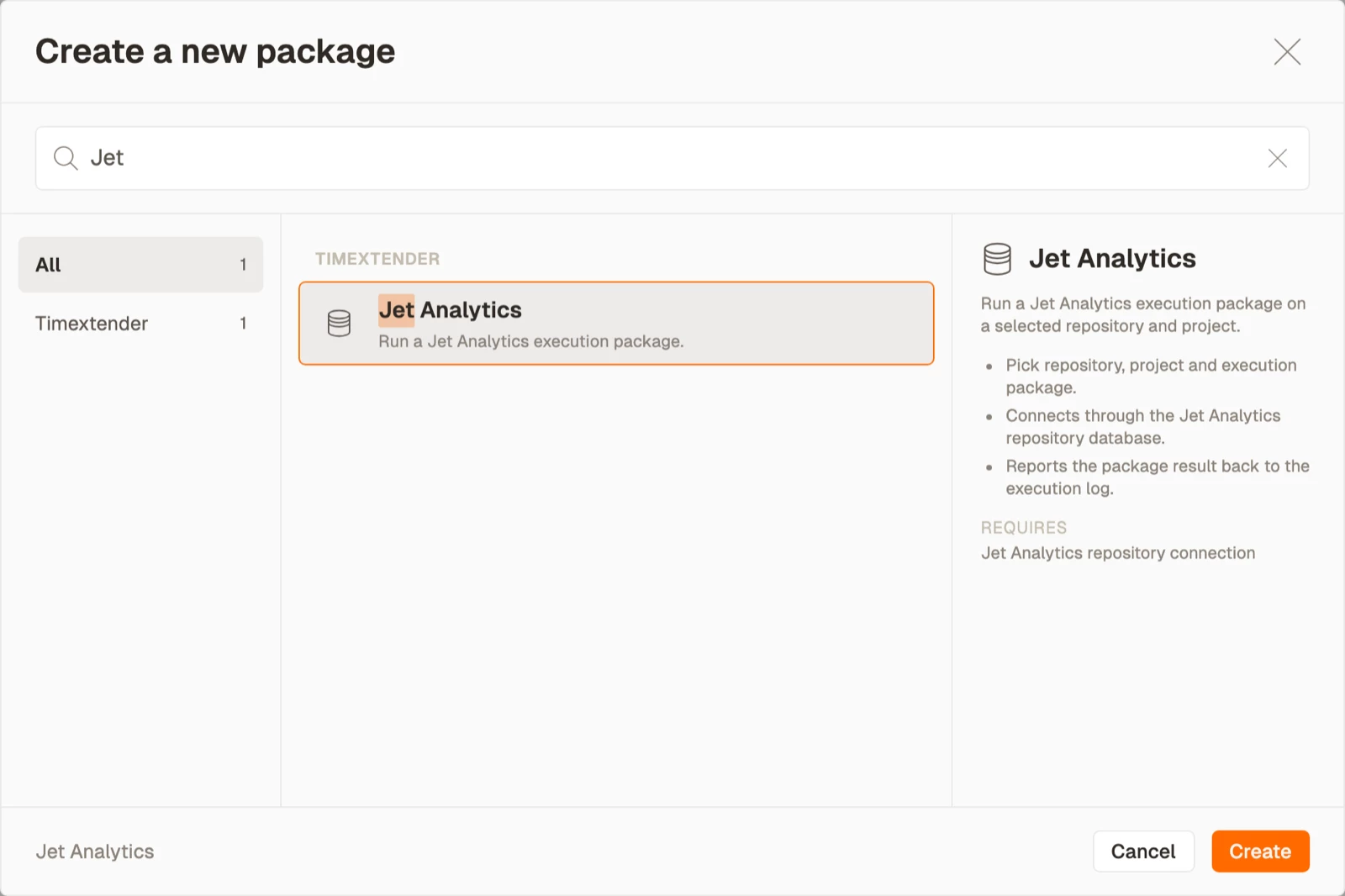
- Select Jet Analytics from the Timextender area, then select Create.
- Enter a name for the package.
- Select the gateway, or TimeXtender Cloud, under Execution connection.
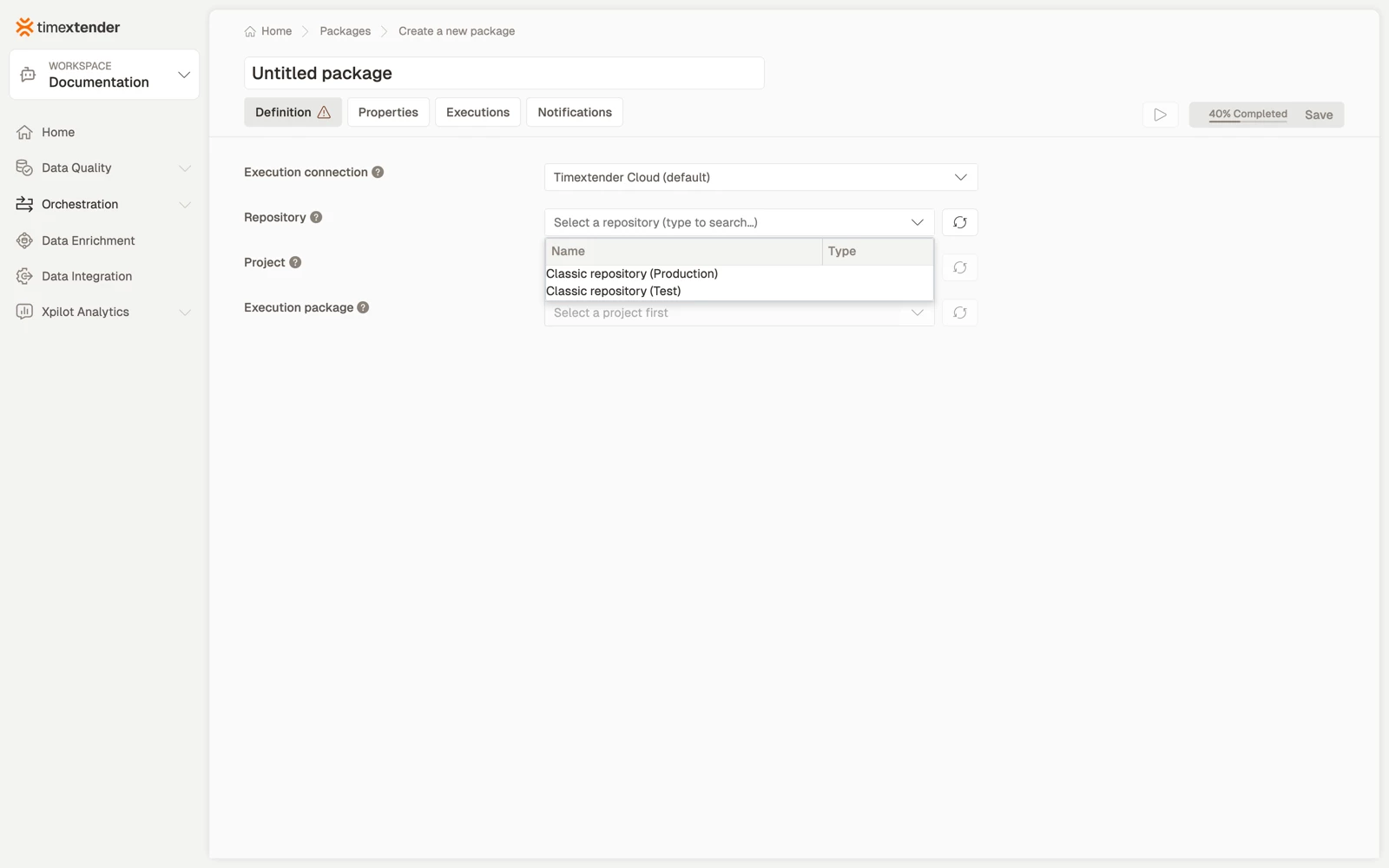
- Select the Repository.
- Select the Project, then the Execution package. Each loads from the selection above it.
- Select Save. The package is saved as a Draft.
Best practices
- Choose the gateway that can reach the repository. The repository list is fetched through the gateway, so an empty list usually points to the gateway rather than to the credentials.
- Name the package for the execution package it runs, plus the environment if you have more than one repository. "Load the Jet finance mart" reads better in a schedule than a bare project name.
- Use one package per execution package. The point of orchestrating these is seeing which one failed.
- Select again after a rename. The package stores the reference it was configured with, so renaming the project or execution package in Jet Analytics means reopening the package and selecting again here.
Troubleshooting
The repository list is empty. The selected gateway cannot reach the repository, or its credentials cannot read it. Try the other gateway, or TimeXtender Cloud if the repository is reachable from the internet.
The project and execution package fields stay empty after selecting a repository. The Project and Execution package fields can come back empty after the repository connection resolves. Select the refresh buttons beside each field first, and if the fields stay empty, check the connection's permissions on the repository database.
A project exists but is not listed. The repository connection points at a different repository, commonly a Test repository rather than Production.
The package runs but the execution package did nothing. Check in Jet Analytics what that execution package contains. An empty or disabled package succeeds without doing work.
Reference
Fields
| Field | Required | Notes |
|---|---|---|
| Execution connection | Yes | A gateway, or TimeXtender Cloud |
| Repository | Yes | Fetched through the gateway; has a refresh button |
| Project | Yes | Fetched from the repository; has a refresh button |
| Execution package | Yes | Fetched from the project; has a refresh button |
Validation: Please select an O&DQ Gateway, Please select a repository, Please select a project, Please select an execution package.
One editor, two types
Jet Analytics uses the same editor as TimeXtender Classic, with the same fields and the same selection chain. The two types differ in which repository they read, not in how they are configured.
Related articles
- Packages overview
- Create a TimeXtender Classic package, which uses the same editor
