

Create a TimeXtender SaaS package
A Timextender SaaS package runs an execution job in TimeXtender Data Integration. Where the Ingest, Prepare and Deliver types each run one stage, this type runs a job that TimeXtender Data Integration itself defines, typically several stages together.
Which of the four TimeXtender Data Integration types do I want? Use Timextender SaaS when TimeXtender Data Integration already has an execution job that does what you want, and you only need orchestration to start it at the right moment. Use Ingest, Prepare or Deliver when you want the stages as separate orchestration steps, so that a failed ingest visibly stops the transform and each stage can be retried on its own. The second shape gives more detailed logs and finer retries. The first is less to maintain when TimeXtender Data Integration already owns the sequencing.
Prerequisites
- A TimeXtender Data Integration connection in the workspace, and an execution job defined in that instance.
Create the package
- Go to Orchestration > Packages.
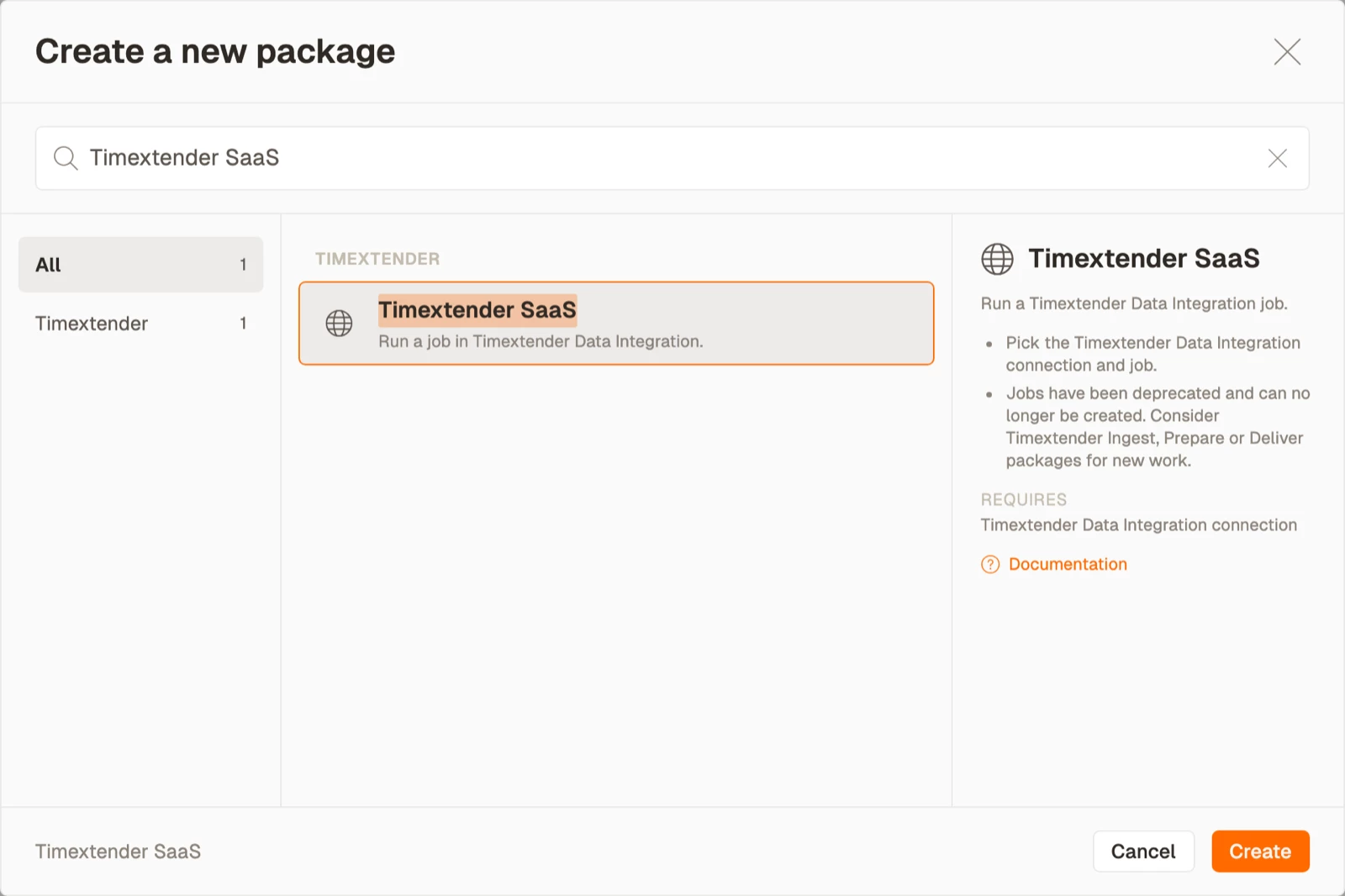
- Select Create.
- Select Timextender SaaS in the Timextender area.
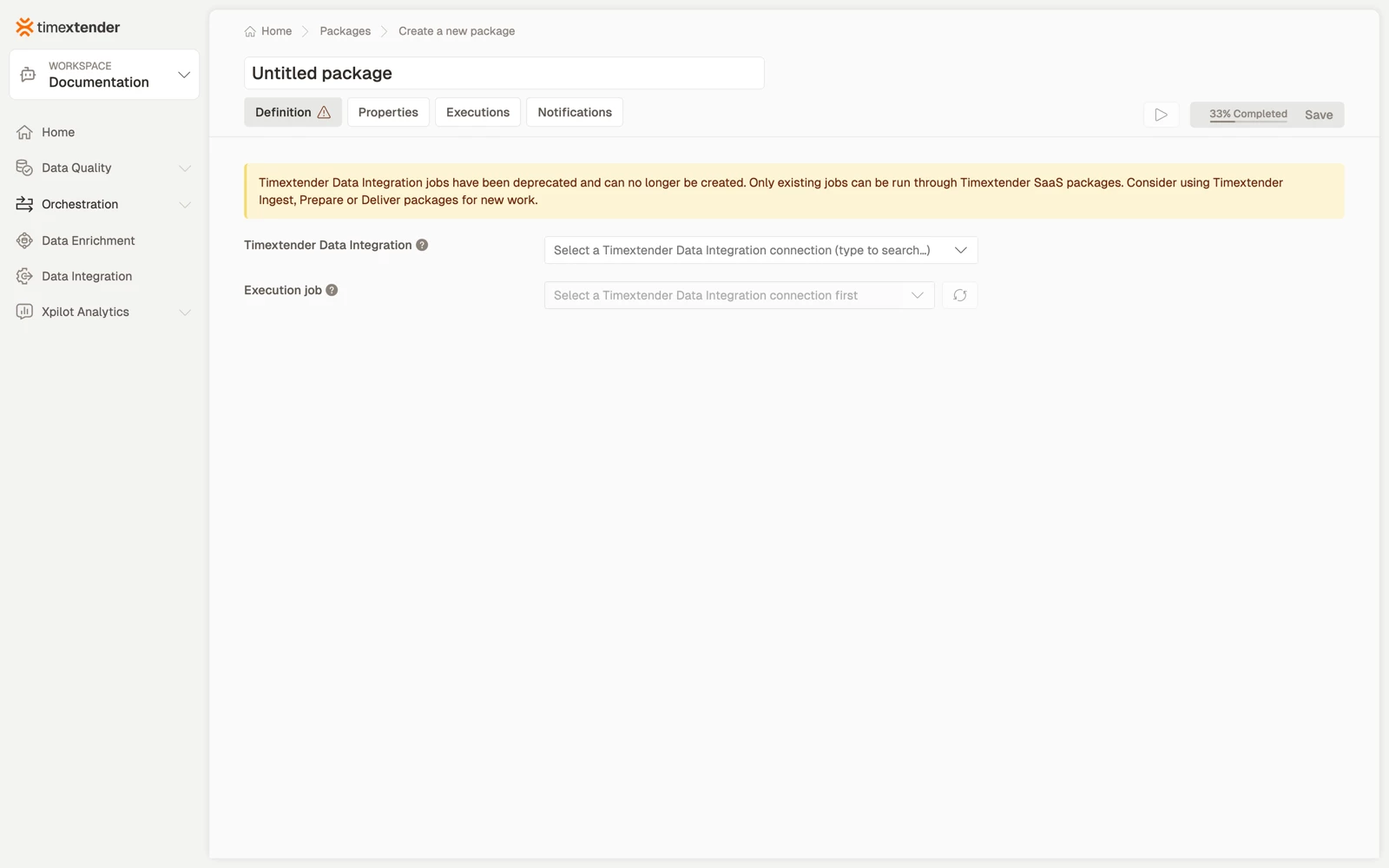
- Enter a name for the package.
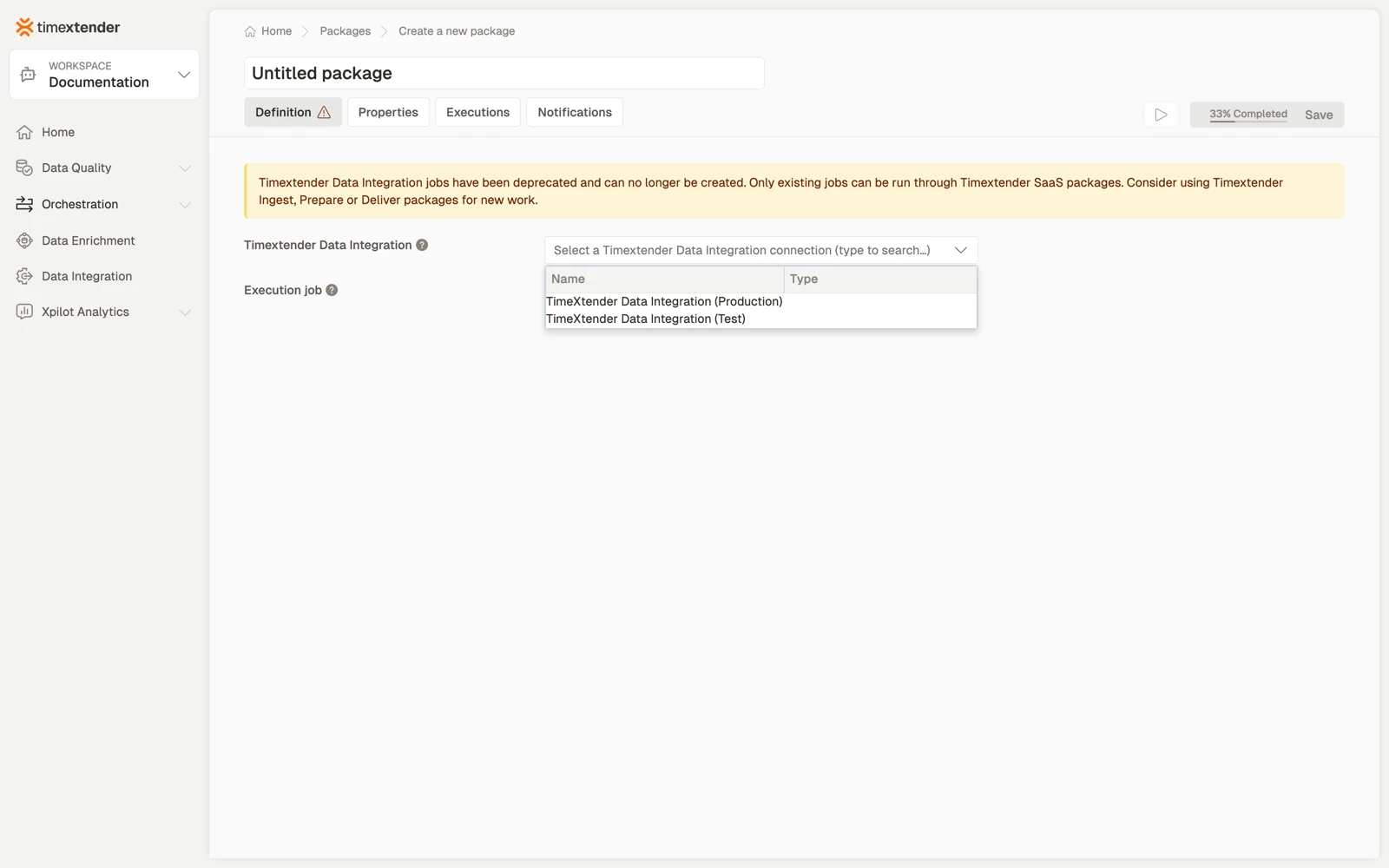
- In Data provider, select the TimeXtender Data Integration connection to use.
- In Execution job, select the job to run. The refresh button beside the field re-reads the list from TimeXtender Data Integration.
- Select Save. The package is saved as a Draft.
Best practices
- Keep one connection per TimeXtender Data Integration environment and select the right one per package, rather than repointing a shared connection when promoting.
- Name the package for the outcome, not for the job's internal name.
- Prefer the three-stage types when you need visibility. One SaaS package that runs a multi-stage job is one line in the execution log, while three packages tell you which stage failed.
Troubleshooting
The execution job list is empty. The connection cannot reach TimeXtender Data Integration, its API key has been revoked, or no execution job exists in that instance. Check the data provider first, then refresh the list.
The job exists in TimeXtender Data Integration but is not listed. The connection points at a different TimeXtender Data Integration instance, commonly Test rather than Production.
Authentication failures after the package has been working. The TimeXtender Data Integration API key on the data provider has expired or been rotated. Fix it on the data provider. Packages pick up the new value without being edited.
Reference
| Field | Required | Notes |
|---|---|---|
| Data provider | Yes | TimeXtender Data Integration connection |
| Execution job | Yes | Read from TimeXtender Data Integration. Has a refresh button. |
Validation messages: Please select a Timextender Data Integration connection and Please select an execution job.
Related articles
- Packages in TimeXtender Data Platform
- Create a Timextender Ingest package
- Create a Timextender Prepare package
- Create a Timextender Deliver package
- Orchestrating TimeXtender Data Integration
