

Create an Azure Function package
An Azure Function package invokes an HTTP-triggered function. It is a good home for custom logic that does not belong in SQL or in a script on a gateway: calling a partner API, transforming a payload, or using a library that only exists in your function app.
Prerequisites
- An Azure App Registration data provider in the workspace.
- An HTTP-triggered function. Timer-triggered and queue-triggered functions cannot be invoked this way and are not listed.
- The function's key, unless the function is anonymous.
The function key
The Function key is sent with the request. Leave it blank for anonymous functions. The stored key is never shown, so leave the field blank to keep the current key, or enter a new value to replace it.
Two things follow from this. A blank field when you reopen a package does not mean the key was lost, it means the field does not display what is stored. And to rotate the key you enter the new one, with nothing to clear first.
Keep the key in a global parameter if it needs to differ between environments.
Create the package
- Go to Orchestration > Packages.
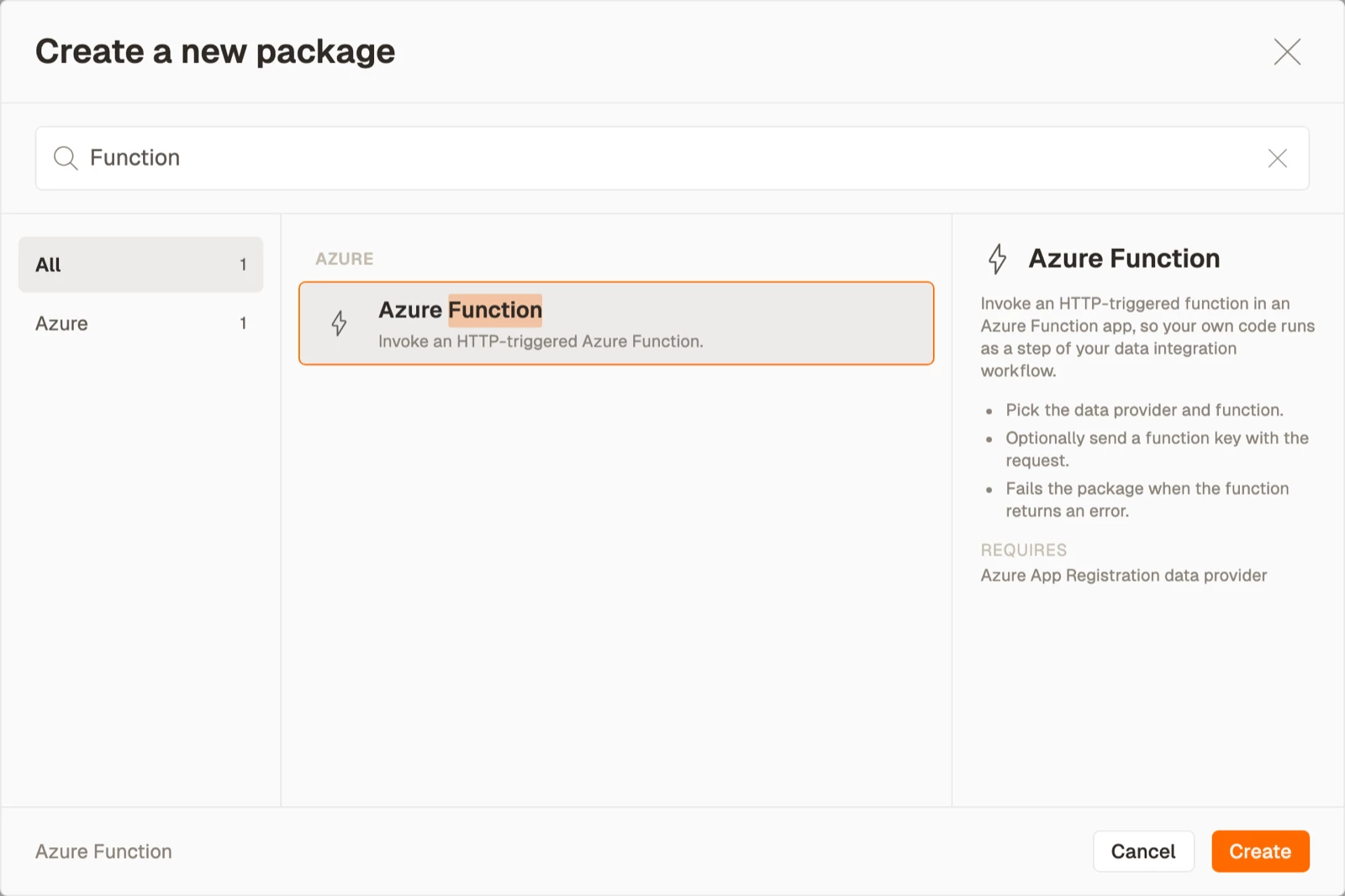
- Select Create, then select Azure Function from the Azure area.
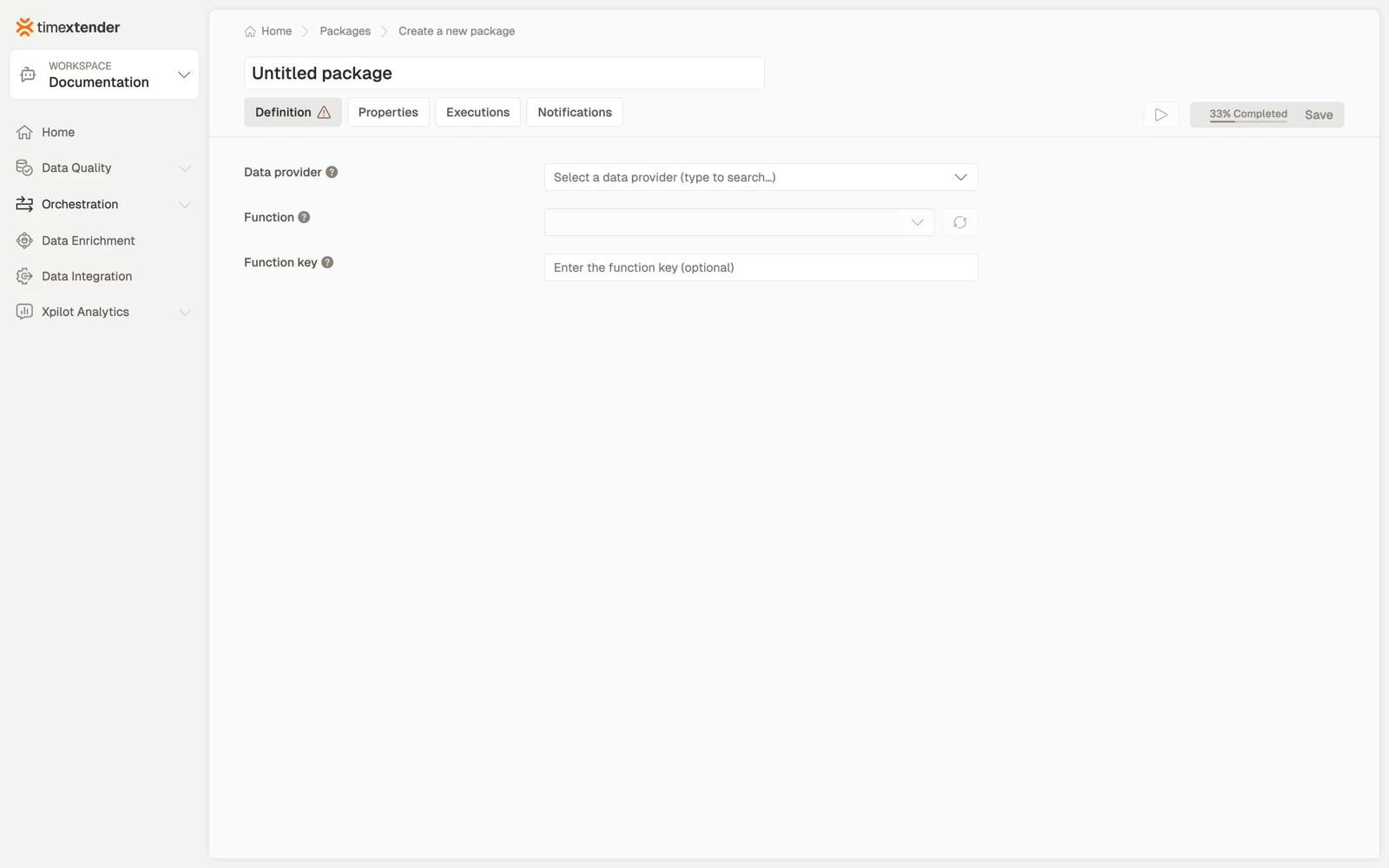
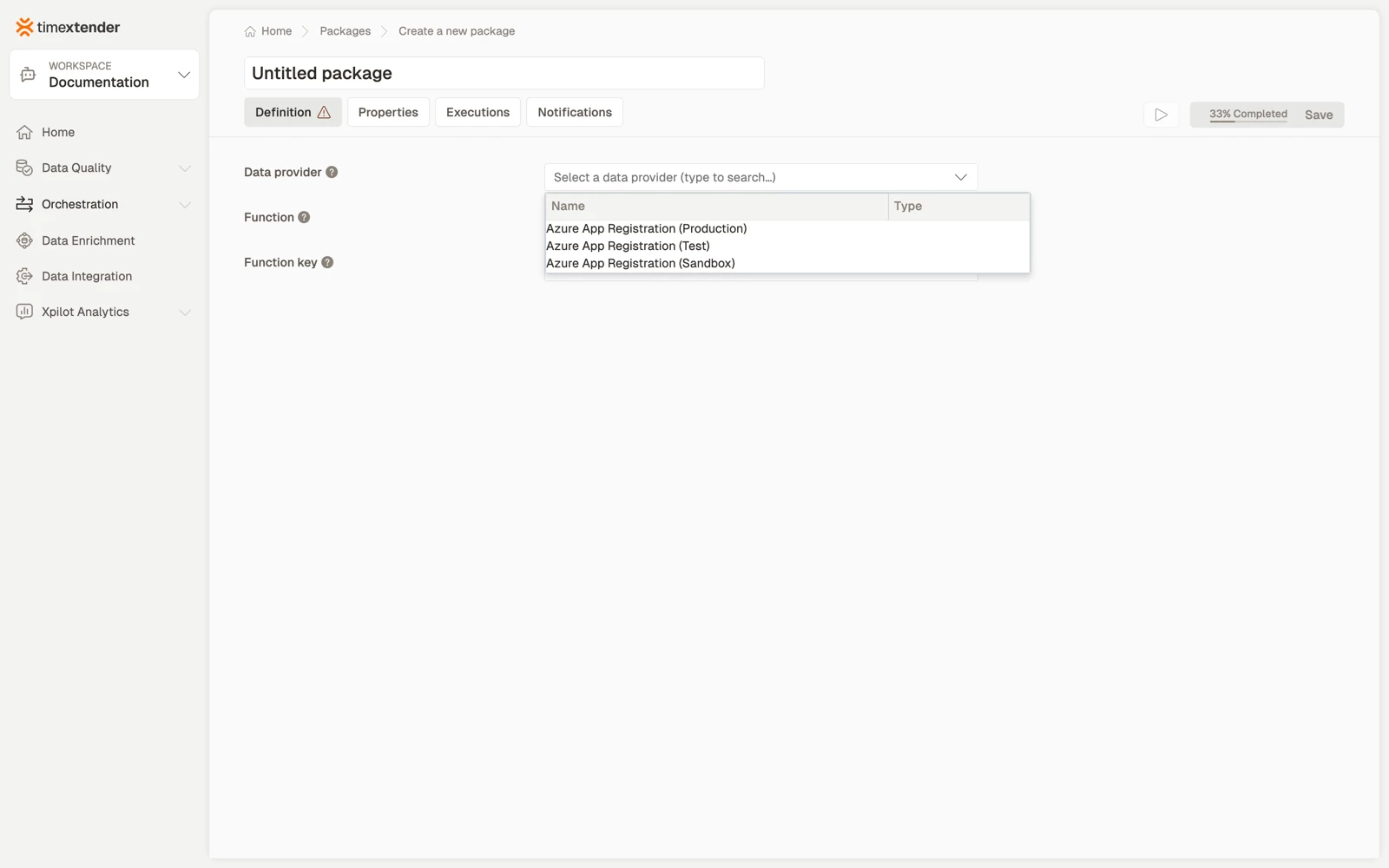
- Select a Data provider. This is the Azure App Registration whose service principal authenticates against Azure.
- Select the Function. The list contains the HTTP-triggered functions the service principal can enumerate, and the refresh button beside the field re-reads it.
- Enter the Function key. Leave it blank for an anonymous function, or when editing a package whose key you do not want to change.
- Select Save. The package is stored as a Draft.
Best practices
- Return a meaningful status code. The package's success depends on the HTTP response, so a function that swallows its own errors and returns 200 reports success over a failure.
- Keep the function fast, or make it asynchronous. A long synchronous HTTP call is fragile. Have the function start the work and expose a status endpoint that you poll from a PowerShell package instead.
- Put the key in a global parameter when it differs per environment, so promoting a package does not mean editing it.
- Log inside the function too. The execution log shows the call's outcome, and Application Insights shows why.
Troubleshooting
The function list is empty. Either the principal cannot enumerate the function app, or the app contains no HTTP-triggered functions. Check the role assignment on the function app first.
401 or 403 at run time. The key is wrong, or it has been rotated in Azure. Enter the new key into the field. The field looks blank whether or not a key is stored.
The call times out. The function is doing too much synchronously, or it is cold-starting on a consumption plan. Raise the package timeout, or split the work.
It worked yesterday and fails today, with no changes. Either the client secret on the data provider expired, or the function key was rotated.
Reference
| Field | Required | Notes |
|---|---|---|
| Execution connection | No | Defaults to TimeXtender Cloud |
| Data provider | Yes | Azure App Registration |
| Function | Yes | HTTP-triggered only. Has a refresh button |
| Function key | No | Never displayed. Blank keeps the stored value |
Validation messages: Please select a data provider, Please select a function.
Behaviour worth knowing
A stored function that is missing from a reloaded list is kept and still shown, so a package configured by someone with broader access opens correctly rather than appearing unconfigured.
Related articles
- Packages overview
- Create a PowerShell package, for calling an HTTP endpoint without a function app
