

Create an Azure SQL Database Scaling package
An Azure SQL Database Scaling package rescales a database to a different service tier when it runs. Scale up for the load window, and back down for the day.
Prerequisites
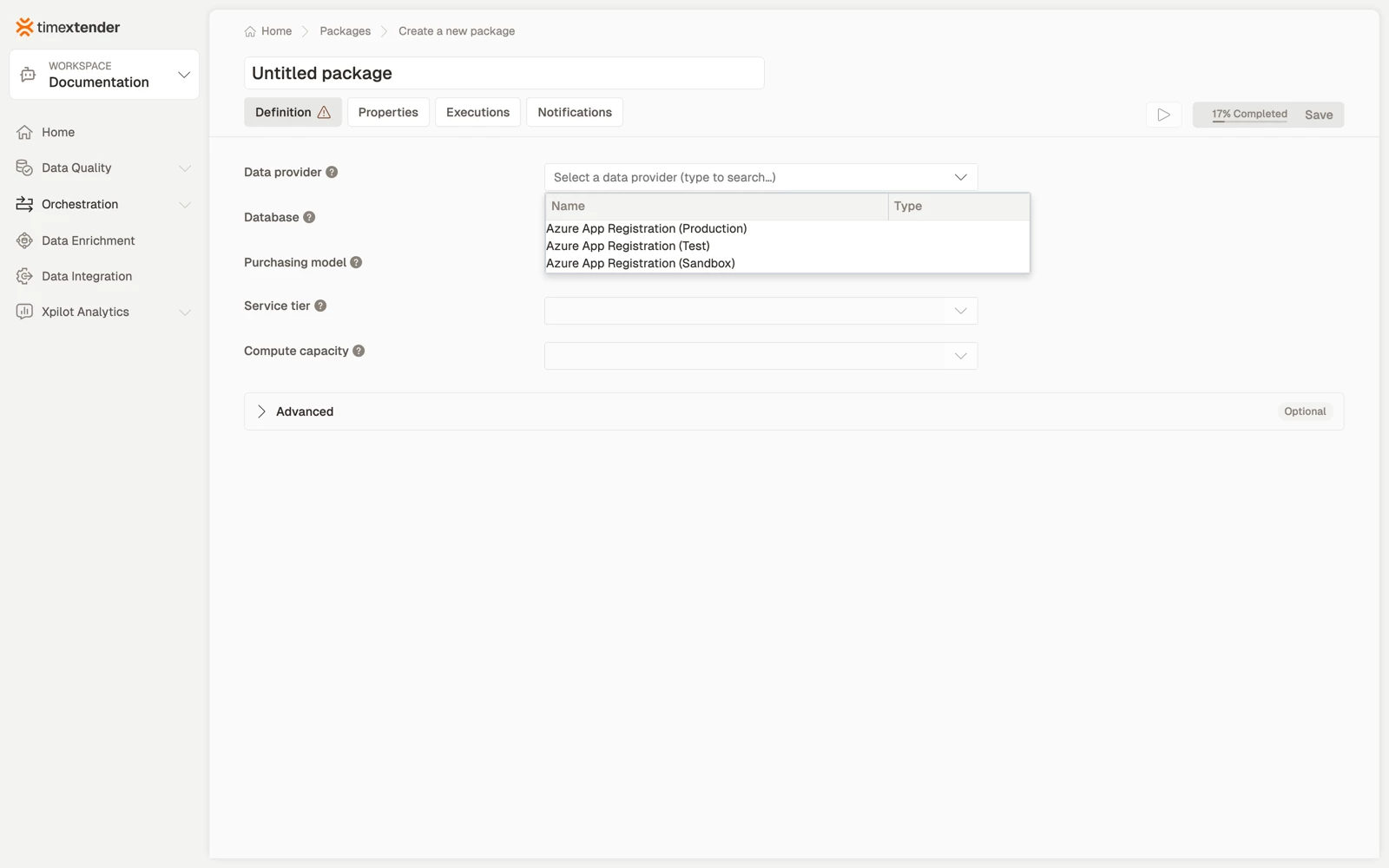
- An Azure App Registration data provider in the workspace. This is the App Registration whose service principal the package acts as, and it decides which Azure resources you can choose.
- The principal able to enumerate resource groups in the subscription. This package finds its resource that way, so without this the resource list is empty and the package cannot be completed.
- The principal needs permission to change the resource, not only to read it. Listing a resource and scaling it are different rights.
How it works
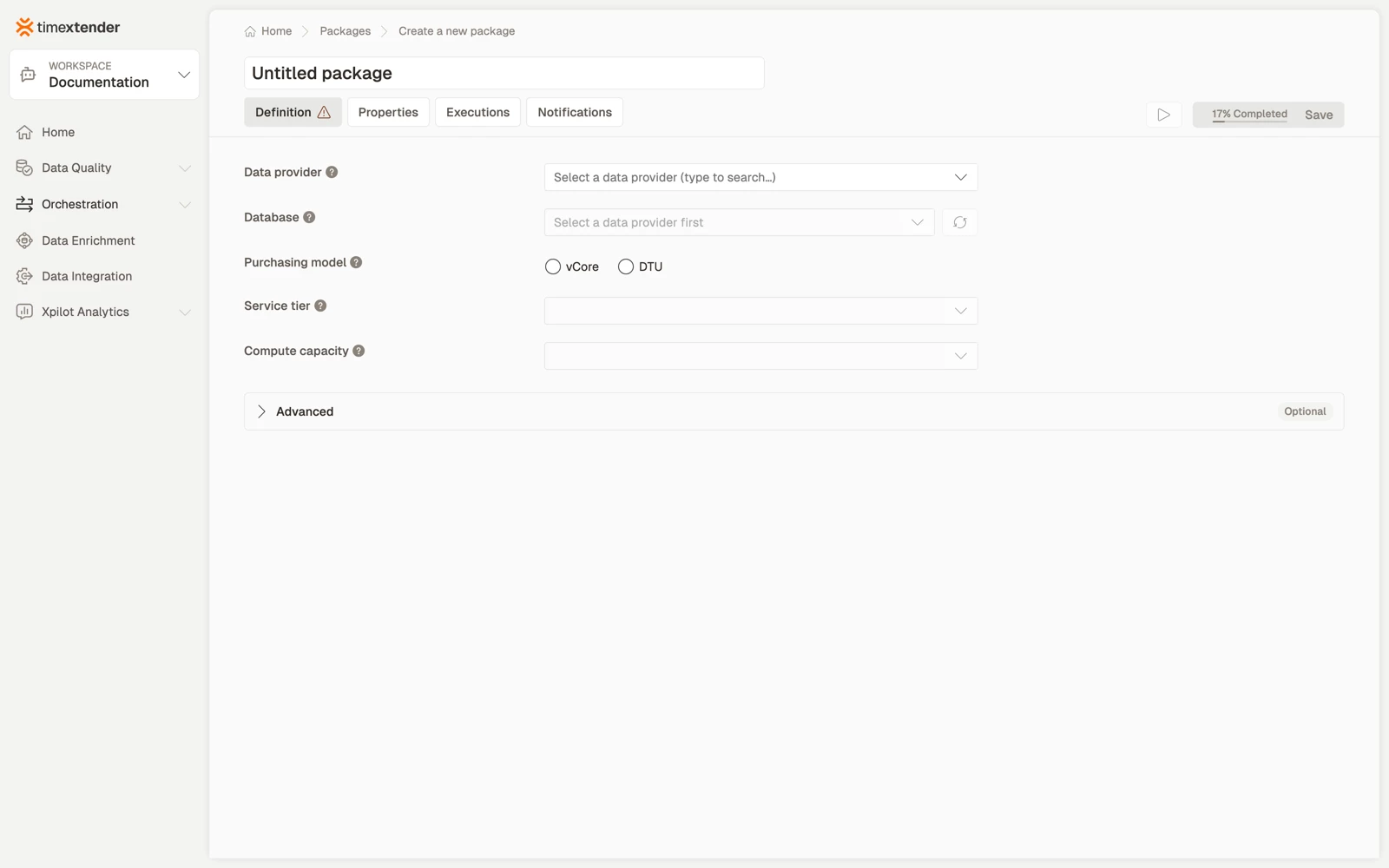
You choose a data provider, then the database to act on, then what to do to it.
When the resource list is empty, the editor names the scope it searched, for example No … were found in … this data provider can see. An empty list reflects the service principal's permissions.
Each of these packages performs one action. Scaling up before a load and back down afterwards is two packages, ordered in a process map or on a schedule. Ordering them this way is also what makes the saving visible in the execution log.
Purchasing model, service tier and capacity
Three fields, filled in order, because each one narrows the next.
- Purchasing model. vCore or DTU. It decides which service tiers and capacities the database can be scaled to, and it has to match how the database is licensed. Choosing the other model does not convert the database, it offers tiers that do not apply to it.
- Service tier. The tier the database is scaled to when the package runs, for example Basic, Standard or Premium under the DTU model.
- Capacity. The compute capacity within the selected tier.
Scaling is not instantaneous and is not free of disruption. Connections can drop as the database moves, so schedule the package outside query hours rather than in the middle of a report run.
Create the package
- Go to Orchestration > Packages.
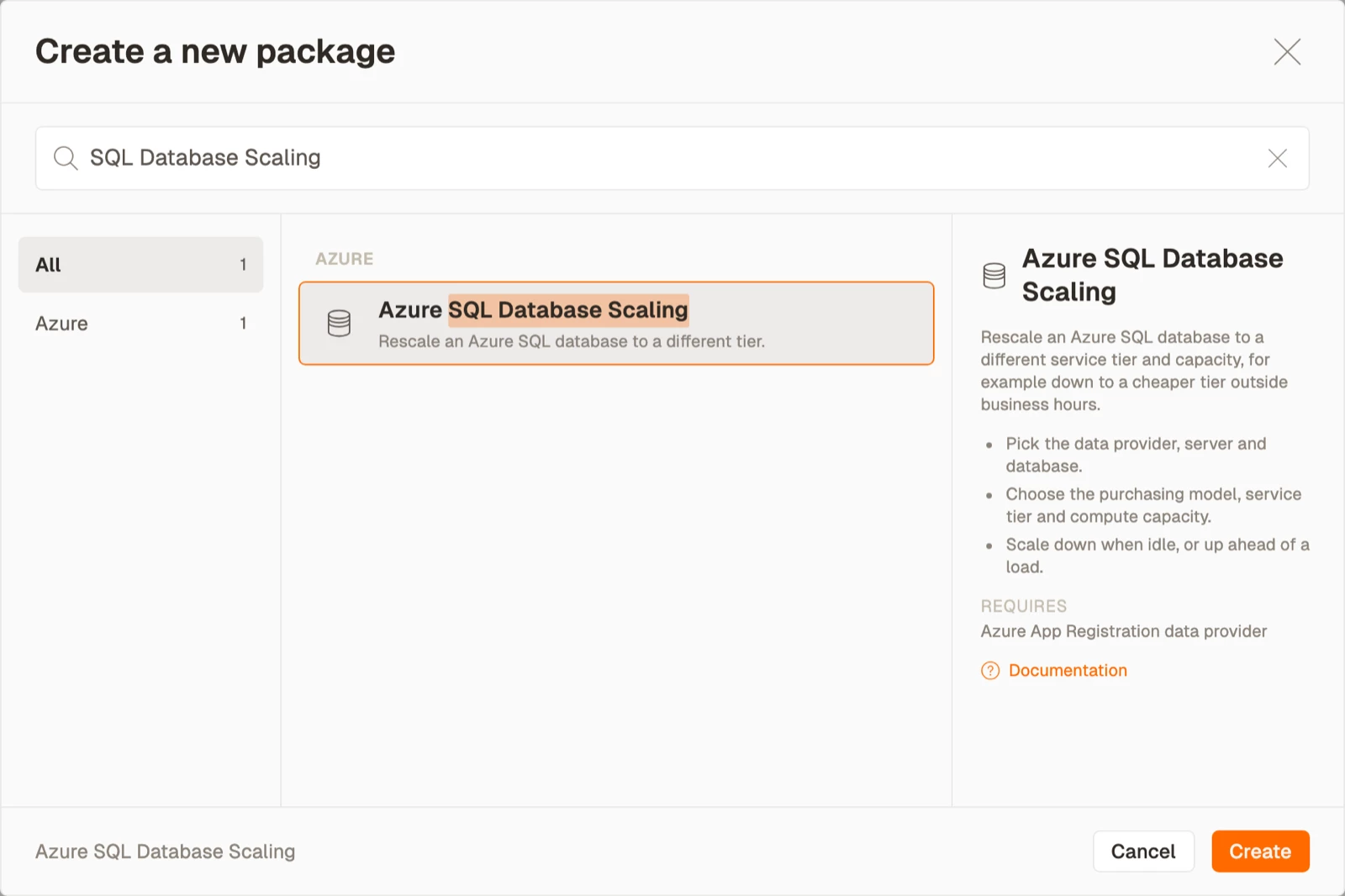
- Select Create, then select Azure SQL Database Scaling from the Azure area.
- Select a Data provider.
- Select the Resource. If the list is empty, see Troubleshooting below.
- Select the Purchasing model, then the Service tier, then the Capacity.
- Select Save. The package is stored as a Draft.
A worked pattern
Scale to a higher tier before the nightly load, and back to the daytime tier when it finishes.
Best practices
- Pair the packages. A scale-up with no matching scale-down is how a cost optimisation exercise becomes a cost increase. Put both in the same process map.
- Order them around the work, not on a clock. A scale-down scheduled for 06:00 runs whether or not the load finished. A scale-down that depends on the load step does not.
- Make the down action the one that cannot be skipped. If the flow can fail between the up and down steps, arrange for the down step to run anyway.
- Give the principal least privilege, scoped to the specific resource rather than the subscription.
- Check the cost model before assuming a saving. Not every action stops billing, and the field help states which ones do.
Troubleshooting
The resource list is empty. The service principal cannot enumerate resource groups, or cannot see resources of this type. Grant subscription level Reader or Microsoft.Resources/subscriptions/resourceGroups/read, then select the refresh button. The editor's own message names the scope it searched.
The resource lists but the action fails at run time. The principal has read permission without write permission. It needs a role that can change the resource, not only see it.
The package succeeds but nothing changed. The resource was already in the target state. These actions are idempotent, which means a success does not by itself prove that anything moved.
A resource was renamed or deleted in Azure. The package stores the reference it was configured with. Reopen the package, select the resource again from the refreshed list, and save.
Reference
| Field | Required | Notes |
|---|---|---|
| Data provider | Yes | Azure App Registration. Decides which resources are selectable |
| Resource | Yes | Found through the subscription and resource group. Has a refresh button |
| Purchasing model | Yes | vCore or DTU |
| Service tier | Yes | Narrowed by the purchasing model |
| Capacity | Yes | Narrowed by the service tier |
| Advanced JSON | No | For settings the form does not expose |
Validation messages: Please select a data provider, Please select a database, Please select a purchasing model, Please select a service tier, Please select a compute capacity.
Related articles
- Packages overview
- Create an Azure Virtual Machine Start/Stop package
- Create a Fabric Capacity Pause/Resume package
- Create a Fabric Capacity Scaling package
