

Create an Azure Synapse package
An Azure Synapse package triggers a pipeline in a Synapse Analytics workspace, so a Synapse pipeline becomes one step in an orchestration flow rather than something scheduled separately inside Synapse.
Listing pipelines needs a Synapse role as well as an Azure one. Azure RBAC gets the service principal as far as seeing the workspace. Listing the pipelines inside it needs a role granted in Synapse Studio, at minimum Synapse Artifact User. A principal with Contributor on the resource group can therefore show you a workspace and an empty pipeline list, which means the second grant is missing.
Prerequisites
- An Azure App Registration data provider in the workspace.
- The principal able to enumerate resource groups in the subscription. Without that, the chain stops before the workspace, because Resource group is required and accepts a selection only.
- The principal granted a Synapse Artifact User role, or higher, in the Synapse workspace.
The selection chain
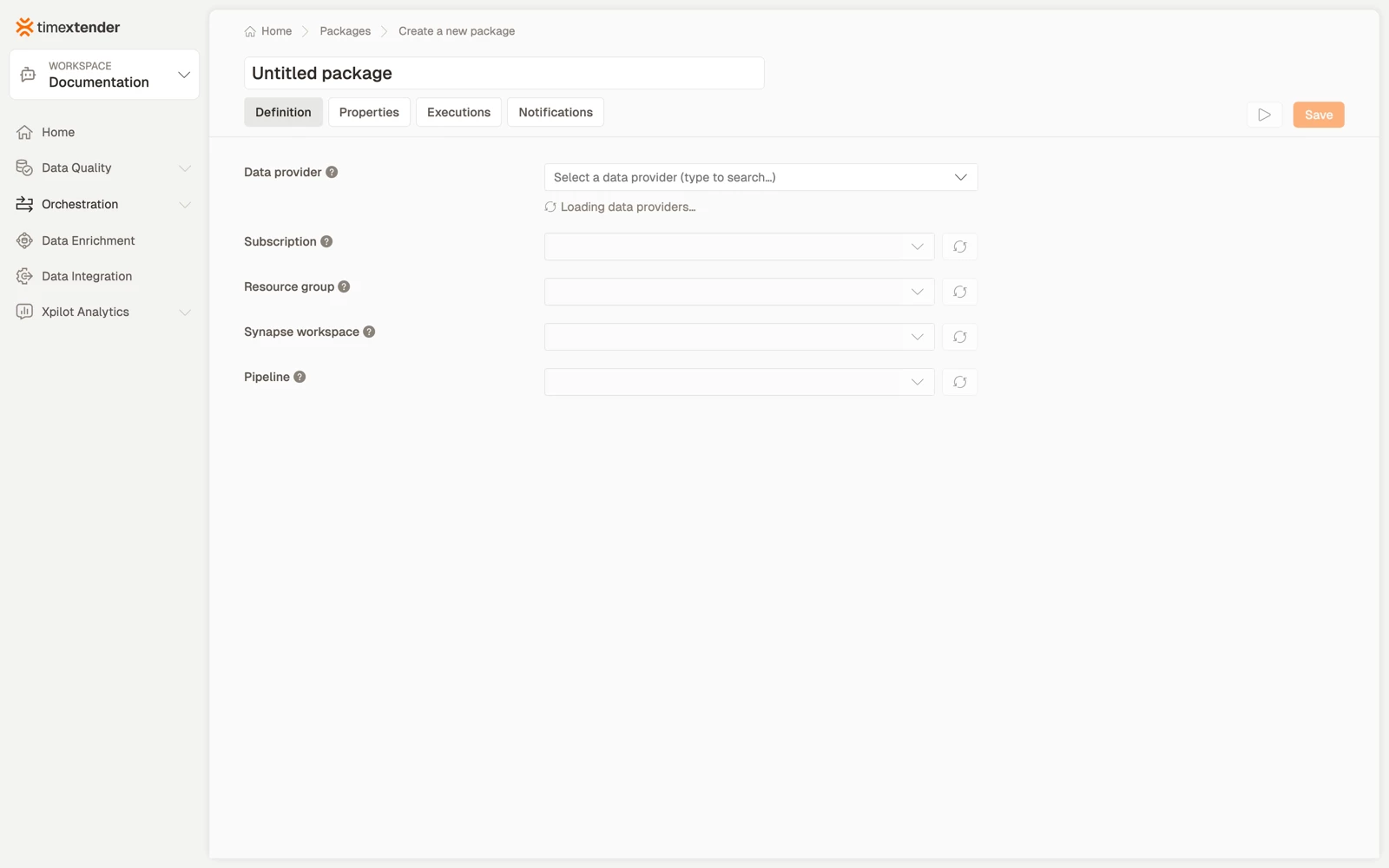
Five fields, each loading the next: Data provider > Subscription > Resource group > Synapse workspace > Pipeline.
| Field | What it is for |
|---|---|
| Subscription | The Azure subscription that contains the Synapse workspace |
| Resource group | The resource group, within the subscription, that contains the Synapse workspace |
| Synapse workspace | The Synapse Analytics workspace that hosts the pipeline. Select a resource group first to load its workspaces |
| Pipeline | The Synapse pipeline to trigger. Loaded from the workspace. The data provider needs Synapse access, at minimum Synapse Artifact User, to list pipelines |
Each of the fetched lists has a refresh button, for when something was created in Azure after the page loaded.
Create the package
- Go to Orchestration > Packages.
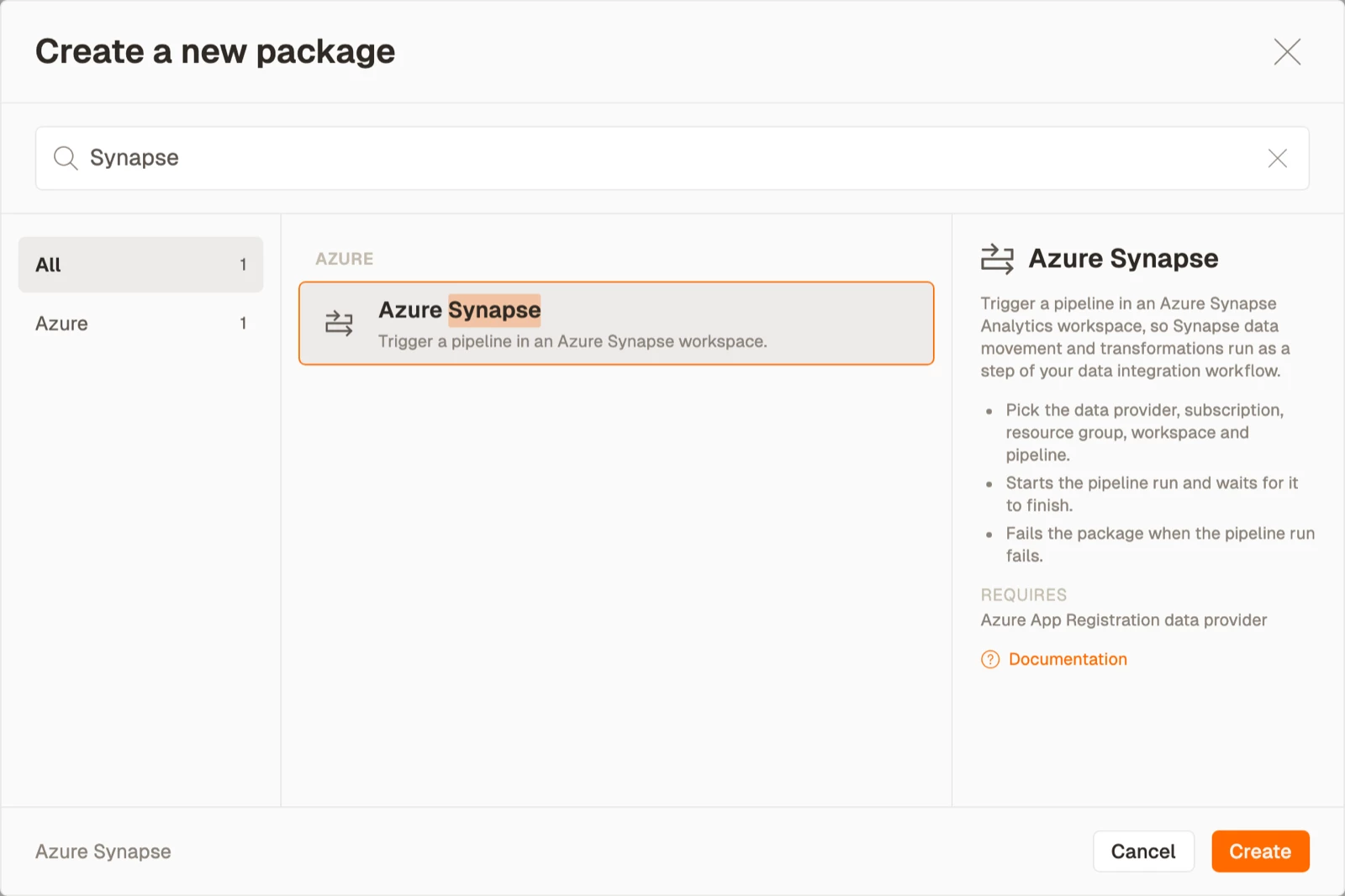
- Select Create, then select Azure Synapse from the Azure area.
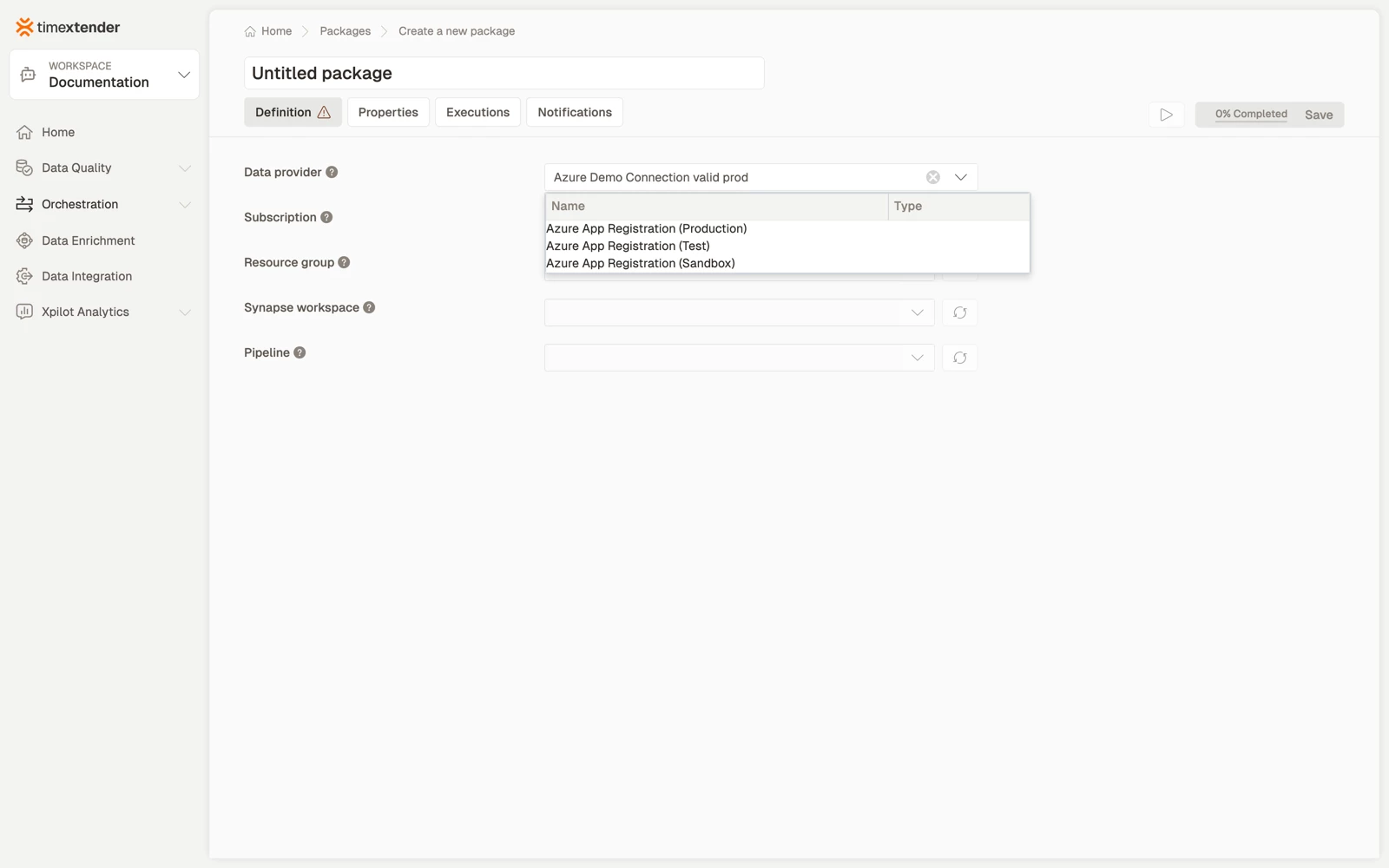
- Select a Data provider. This is the Azure App Registration whose service principal authenticates against Azure. Everything below the field stays disabled until the field above it is set.
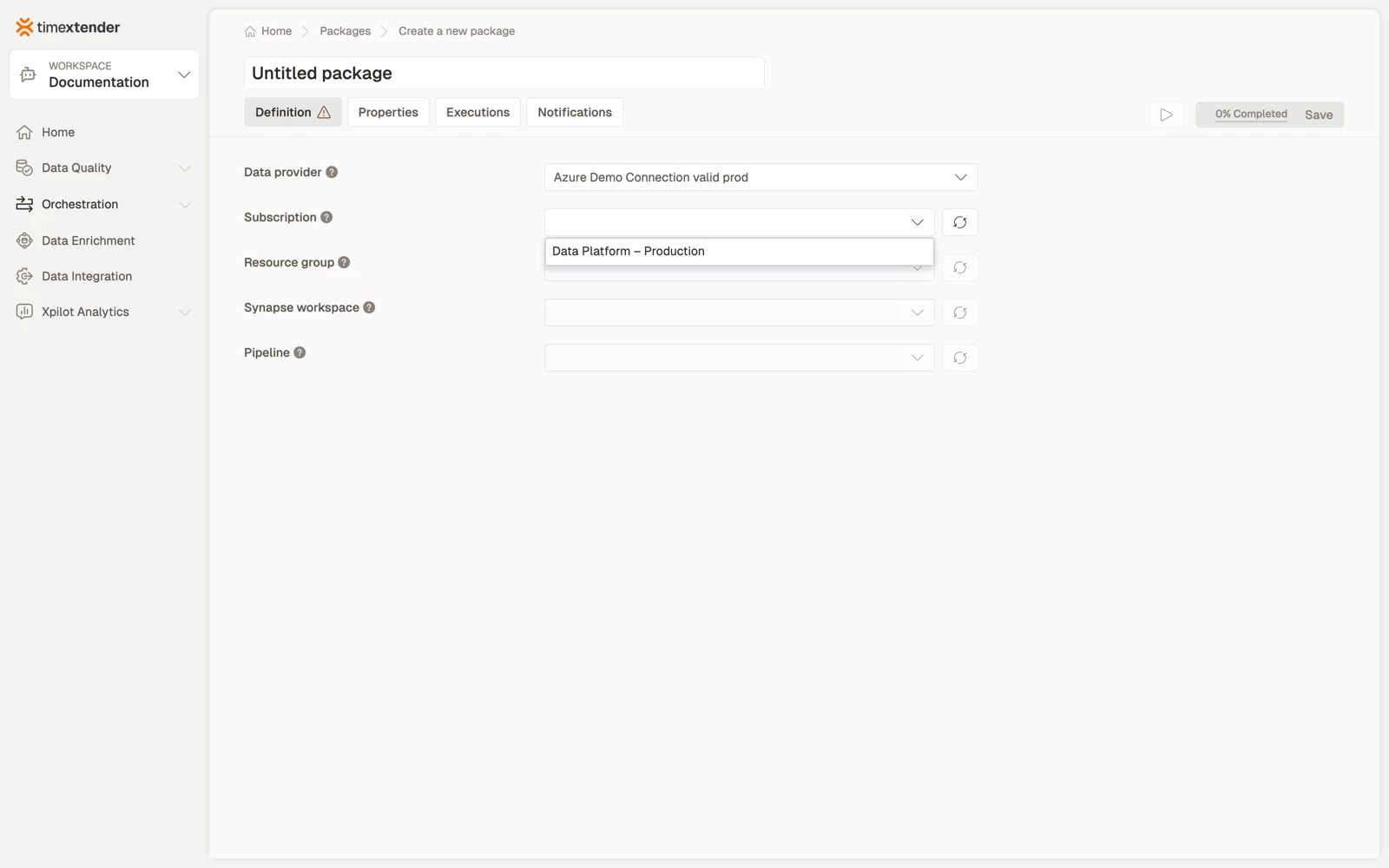
- Select the Subscription. Subscriptions are fetched with the provider's service principal.
- Select the Resource group, then the Synapse workspace, then the Pipeline. Each list loads from the selection above it.
- Select Save. The package is stored as a Draft. Publish it to make it runnable on a schedule.
If the pipeline list is empty while the workspace is listed, the Synapse role is missing. See Troubleshooting below.
Choosing what belongs in Synapse and what belongs here
The division is the same as for Azure Data Factory. Keep inside one pipeline the activities that share a failure boundary, and split into separate packages the steps you want to retry, schedule or monitor independently.
The practical test is what you want to see in an execution log at 7am. One package per pipeline tells you which pipeline failed, while one package for a chain of five tells you only that something did.
Best practices
- Grant both permissions when you set up the provider, rather than waiting until the pipeline list turns out empty. Azure RBAC covers the workspace, and Synapse Artifact User covers the pipelines inside Synapse.
- Set a timeout that reflects the pipeline's real runtime.
- Name the package for the outcome, not for the pipeline's name in Synapse. The pipeline is already recorded on the Definition tab.
- Rotate the client secret deliberately. Credentials are read from the data provider at run time, so one rotation covers every package that uses it, and one expiry affects all of them at once.
Troubleshooting
The resource group list is empty. The service principal cannot enumerate resource groups. Grant it subscription level Reader or Microsoft.Resources/subscriptions/resourceGroups/read. Because the field accepts a selection only, an empty list means the package cannot be completed at all.
The workspace list is empty but the resource group is listed. There is no Synapse workspace in that resource group, or the principal has no Azure role on it.
The pipeline list is empty but the workspace is listed. The Synapse role is missing. Add the principal in Synapse Studio as Synapse Artifact User.
A pipeline created after the page loaded is not listed. Select the refresh button beside the field.
The message The selected … no longer exists in Azure. Please select another. Something the package referenced was deleted or renamed. Select it again from the refreshed list.
Reference
| Field | Required | Notes |
|---|---|---|
| Data provider | Yes | Azure App Registration |
| Subscription | Yes | Fetched for the provider |
| Resource group | Yes | Fetched for the subscription. Selection only |
| Synapse workspace | Yes | Fetched for the resource group |
| Pipeline | Yes | Fetched from the workspace. Needs the Synapse role |
Validation messages: Please select a data provider, Please select a Synapse workspace, Please select a pipeline.
Related articles
- Packages overview
- Create an Azure Data Factory package, the same trigger-a-pipeline shape with one fewer permission system
