



When performing instance transfers in the TimeXtender portal, there are some checks you need to do beforehand:
- Make sure the involved instances aren't opened by developers
- Make sure there are no executions running or soon to be running on involved instances
For the first check, there is no current functionality to directly check this. There are a few workarounds:
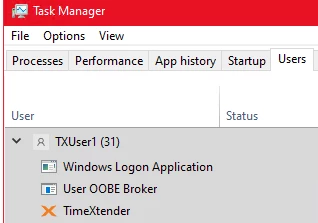
- If all developers log into specific VMs to run TimeXtender Data Integration, you can check Task Manager to see which accounts are logged in (and forcefully sign them off in the worst case)
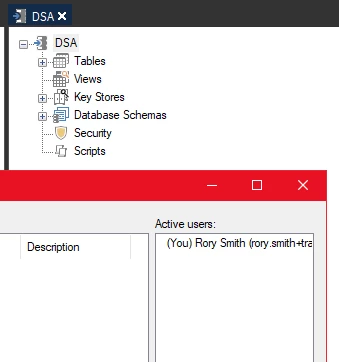
- If you have Team development enabled on Prepare instances, you can use the Work Items feature for each opened Prepare instance to see what users have active sessions
If your developers run TimeXtender Data Integration from their own laptops or you are transferring Deliver instances, there is no foolproof way to check. Transferring while people are actively working in instances involved in the transfer can lead to problems, so it is critical to be able to check beforehand.
For the second check, you want to be able to see what is running and what is upcoming on the schedule. The only way to see this is to look at the Jobs monitor to see if anything is running at all, and then find out which instances are involved and subsequently which Execution Engine / ODX Service this is coupled to. You can make this easier by having naming conventions, but this becomes difficult for larger environments or transfers.
If you are running TimeXtender Orchestration, it is slightly easier to manage but you are dealing with two different applications.
I propose adding a centralized overview of all Instances with the following attributes:
- Environment the instance belongs to
- Execution Engine / ODX Service the instance is running against
- Whether Team development is enabled or not
- Which users have active sessions on the instance
- Which users have a lock on an instance
- Which Job / Tasks are currently running on the instance
- When the next Job / Task will be triggered
In addition, it would be wonderful if some actions could be applied:
- Disconnect a user's session / send a message asking to disconnect
- Stop a currently running Job / Task
- Pause the scheduling / prevent Jobs / Tasks from being triggered
