SUBMITTED

Add Year/Week partition as build-in option for table partitioning.

Related products:TimeXtender Data Integration
  • February 7, 2023
  • 3 replies
  • 43 views

peter.jensen
TimeXtender Xpert
Forum|alt.badge.img+3

We have some snapshot tables in our DWH.
In order to improve performance we’re using table partitions to delete old partitions in a fast way (a truncate is much faster than a delete)
Most snapshots we use have a partition scheme for YM (YYYYMM), but we also need some on YW (YYYYWW). The first is by default available in TX, and works fine.  But the YW is not available.
Can’t this be added as a feature in TX ?

Best regards,

Peter

3 replies

rvgfox
Problem Solver
Forum|alt.badge.img+4
  • Problem Solver
  • February 8, 2023

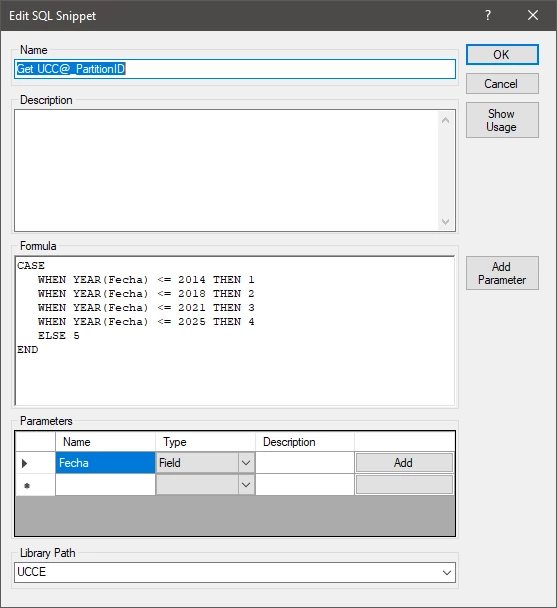
Yes, I’m using an SQL Snippet to determine an special field in my fact tables like this:

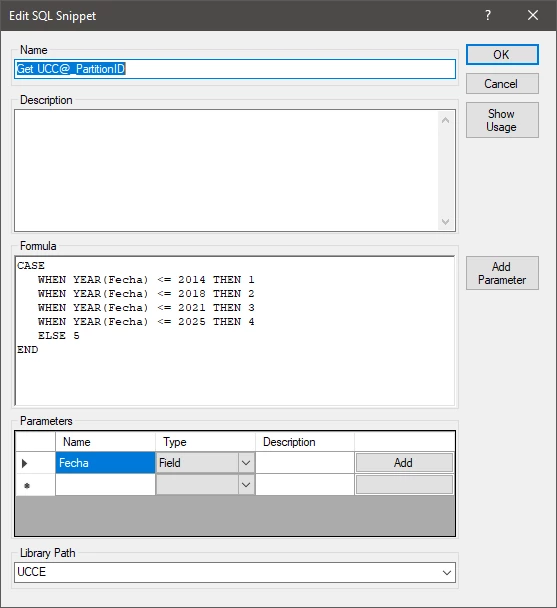
One partition template:

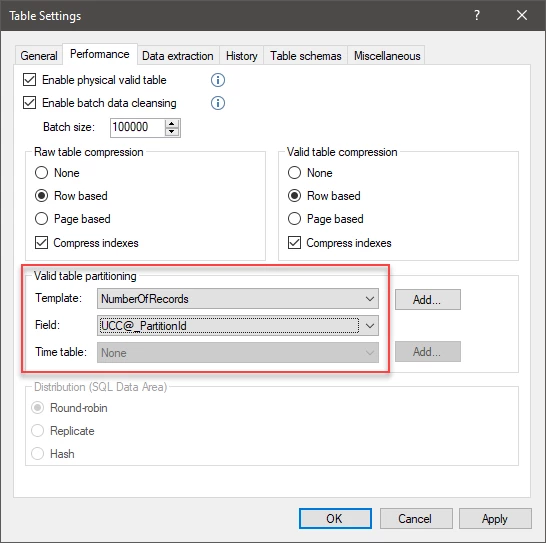
And, in the table:


peter.jensen
TimeXtender Xpert
Forum|alt.badge.img+3
  • Author
  • TimeXtender Xpert
  • February 8, 2023

Hi @rvgfox ,
thanks for the feedback.  The reason why I want this to be standard TX functionality, is that I don’t want to create all the partitions manually ( YearWeek = 52 or 53 partitions per year - for only 10 years I’d have to add 520 entries manually).  I’d like TX to create them for me - the same way they do this for YearMonth partitions.

Best regards,

Peter


rvgfox
Problem Solver
Forum|alt.badge.img+4
  • Problem Solver
  • February 8, 2023

I’m aggree with you Peter, perhaphs it would be an idea that TX could generat the range values dynamically.