SUBMITTED

Adding a Notification for an Execution Package in html configurable format

Related products:TimeXtender Data Integration
  • January 13, 2023
  • 2 replies
  • 20 views

rvgfox
Problem Solver
Forum|alt.badge.img+4

To send the notifications it would be useful to use a html template with substitution variables.

2 replies

wvermeulen
Employee
Forum|alt.badge.img
  • Employee
  • January 16, 2023

Thank you for sending us your idea! I would like you to ask in which cases you specifically need a HTML template for your emails. 

Also, can you tell us which info you want into the message. Right now you can use the following variables in the subject field:

  • %Instance%: The name of the instance.
  • %Status%: The status of the execution (Success / Fail).
  • %ExecutionPackage%: The name of the execution package.


rvgfox
Problem Solver
Forum|alt.badge.img+4
  • Author
  • Problem Solver
  • January 16, 2023

The most flexible would be to use all of the user’s defined variables in TX.

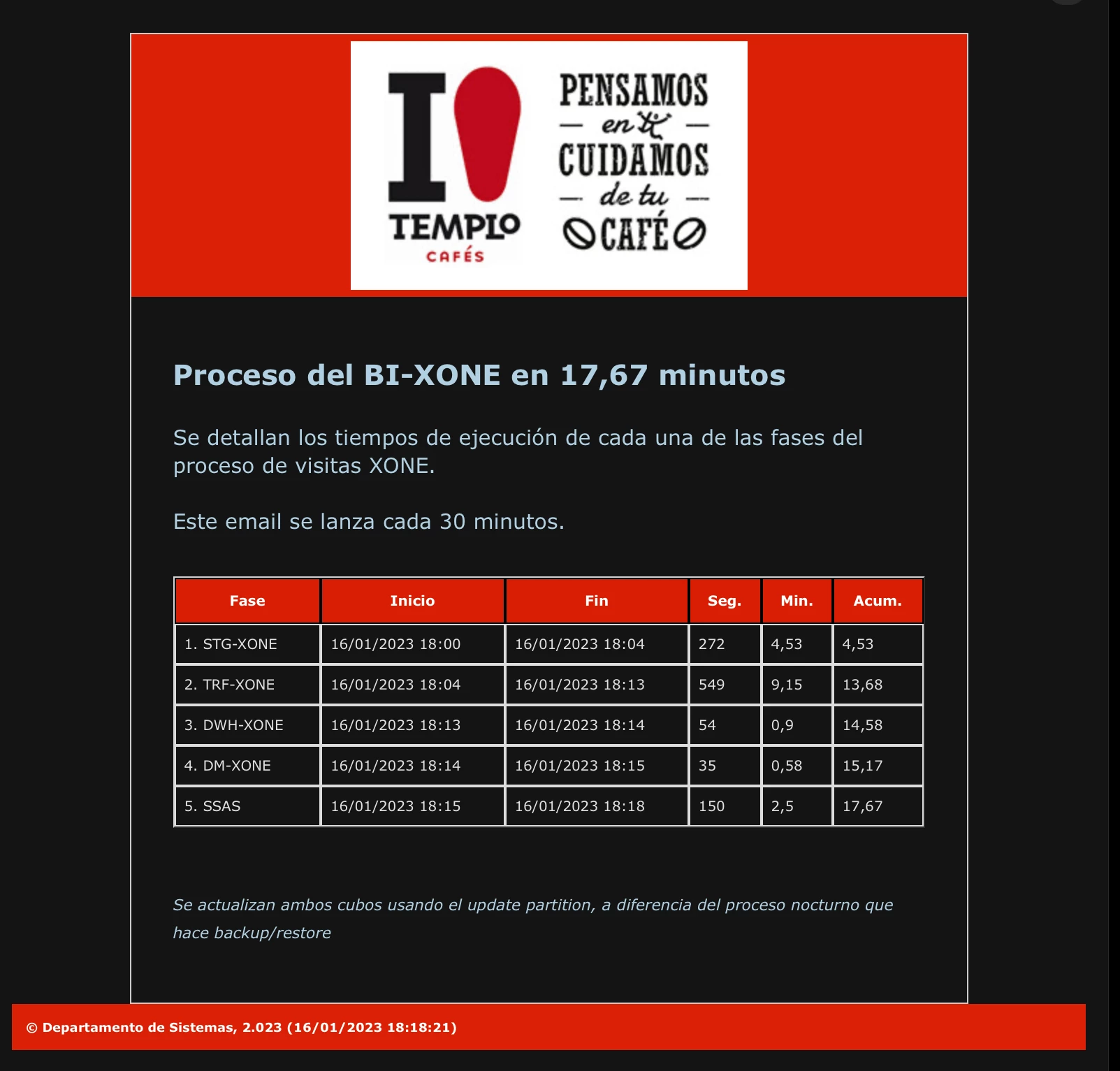
And if it’s possible add the result of a view in tabular format.

In my current BI solution I’m using something like this: