SUBMITTED

Be able to set display name in Business Unit

Related products:TimeXtender Data Integration
  • July 9, 2024
  • 2 replies
  • 36 views

bas.hopstaken
TimeXtender Xpert
Forum|alt.badge.img+5

In ODX Server, it is possible to have both a Display Name and a Short Name (DW_SourceCode). In Business Units, you only have a Short Name (DW_SourceCode).

One of our customers decided to use Business Units instead of ODX Server in TimeXtender Classic because ODX Server in TimeXtender Classic will be phased out. Now, we need to be very creative with the data source names in Business Units, as we can only use a maximum of 15 characters.

It would be great if we had the option to set both a Display Name and a Short Name in the Business Units as well.


2 replies

Thomas Lind
Community Manager
Forum|alt.badge.img+5
  • Community Manager
  • July 10, 2024

Hi @bas.hopstaken 

The short name is not really needed in the Business Unit.

You can do something like this.

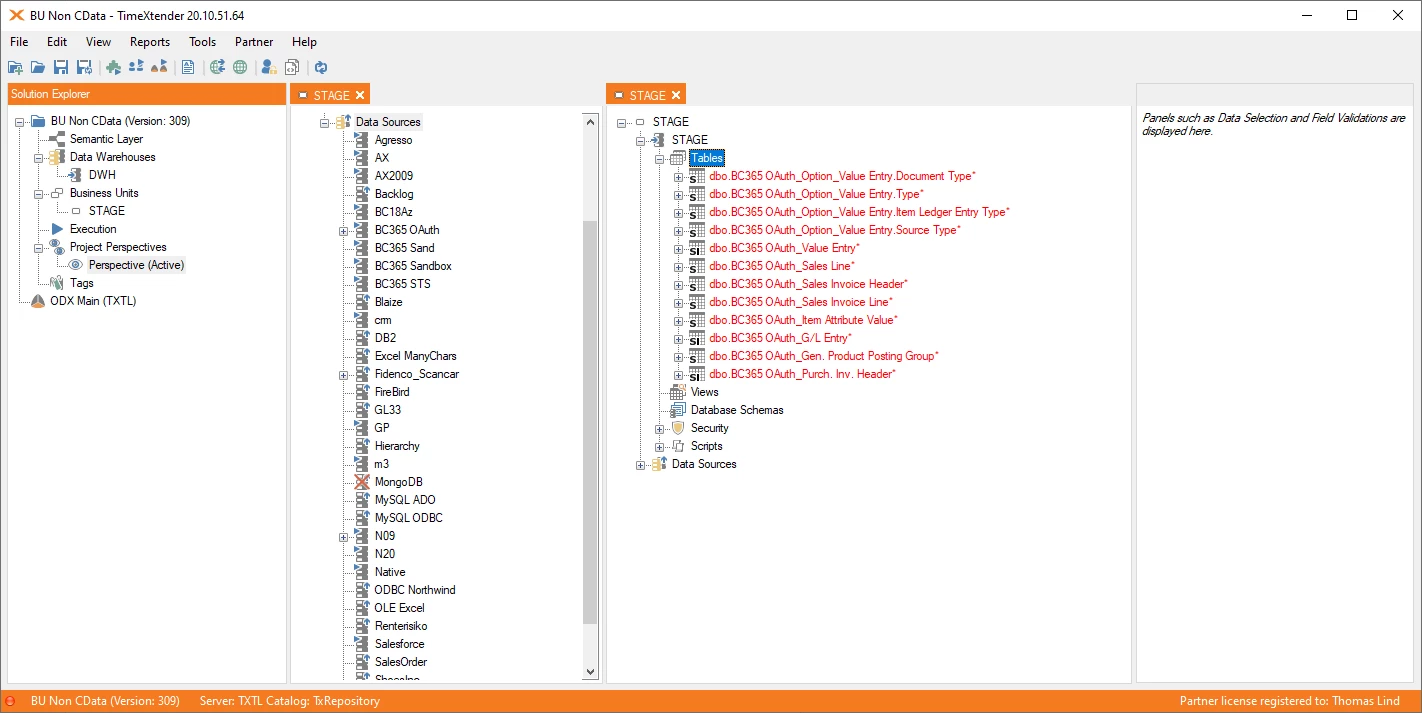
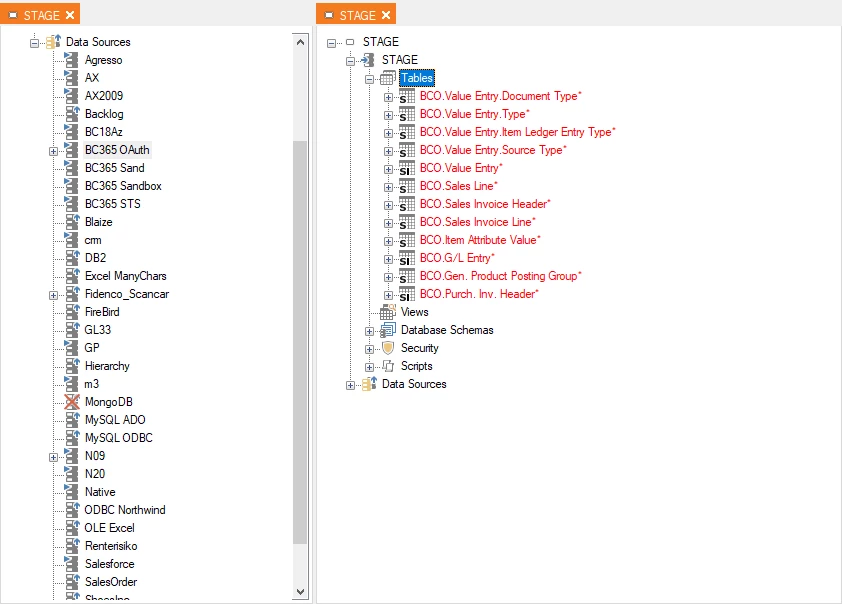
So first it looks like this.

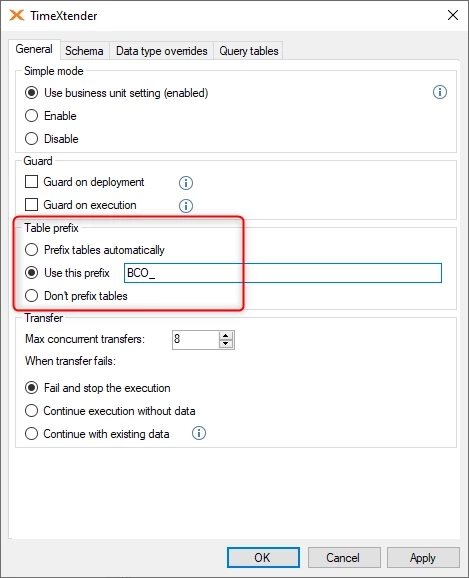
If I change the behavior in the Data Source settings Table prefix area to use a specific prefix.

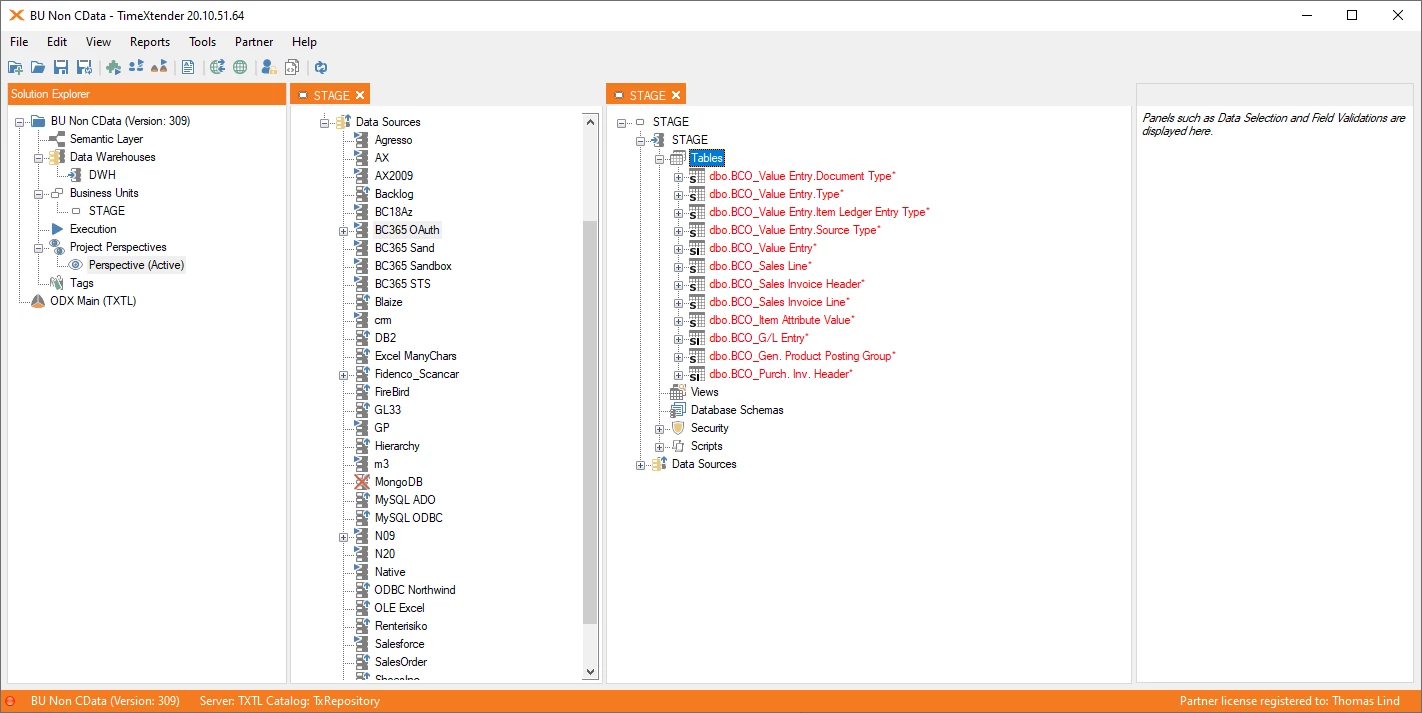
It will make it look like so.

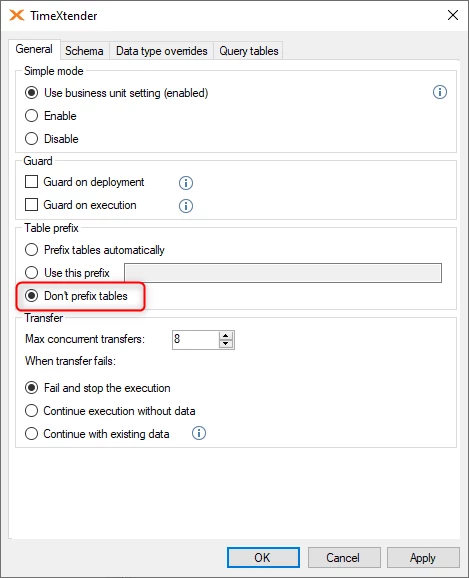
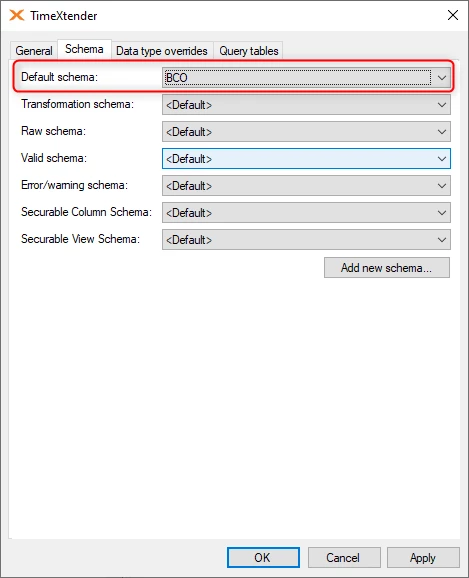
However, this is not what I would normally have done, I would have used a specific schema instead.

This gives this look.


bas.hopstaken
TimeXtender Xpert
Forum|alt.badge.img+5
  • Author
  • TimeXtender Xpert
  • July 10, 2024

Hi @Thomas Lind

This is not exactly what I meant. I just want to be able to set a longer datasource name in the Business Unit.This makes it easier to name the datasources. 

Additionally, the short name (DW_SourceCode) is also needed.