



Hello all,
When TimeXtender Data Integration deploys the extraction of a data source via Ingest instance or deploys the extraction of a table in a prepare instance from the data lake, a pipeline with a Copy Table activity is created. The Copy Table activity is configured with the following default settings:
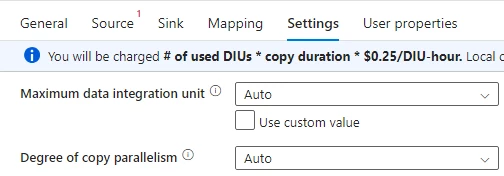
The settings are shown when you check the progress of a running pipeline:
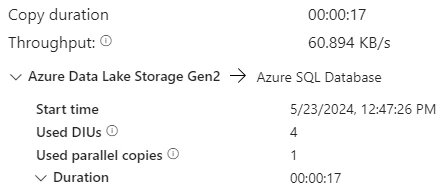
Can we increase the performance by overriding the default settings set by TDI?
- Maximum DIU’s: we can set a value from 2 to 32
- Degree of copy parallelism: we can set a value from 1 to 32
Curious to hear if there are any developers that have experimented with these settings. I’m planning to do some testing for myself as well.



