SUBMITTED

How to stop a running Job?

  • June 24, 2024
  • 3 replies
  • 42 views

rory.smith
TimeXtender Xpert
Forum|alt.badge.img+8

If you are running Jobs in the 6xxx release, you may encounter the situation where you want to stop a job. I tried asking X-Pilot how to do this and got this result:
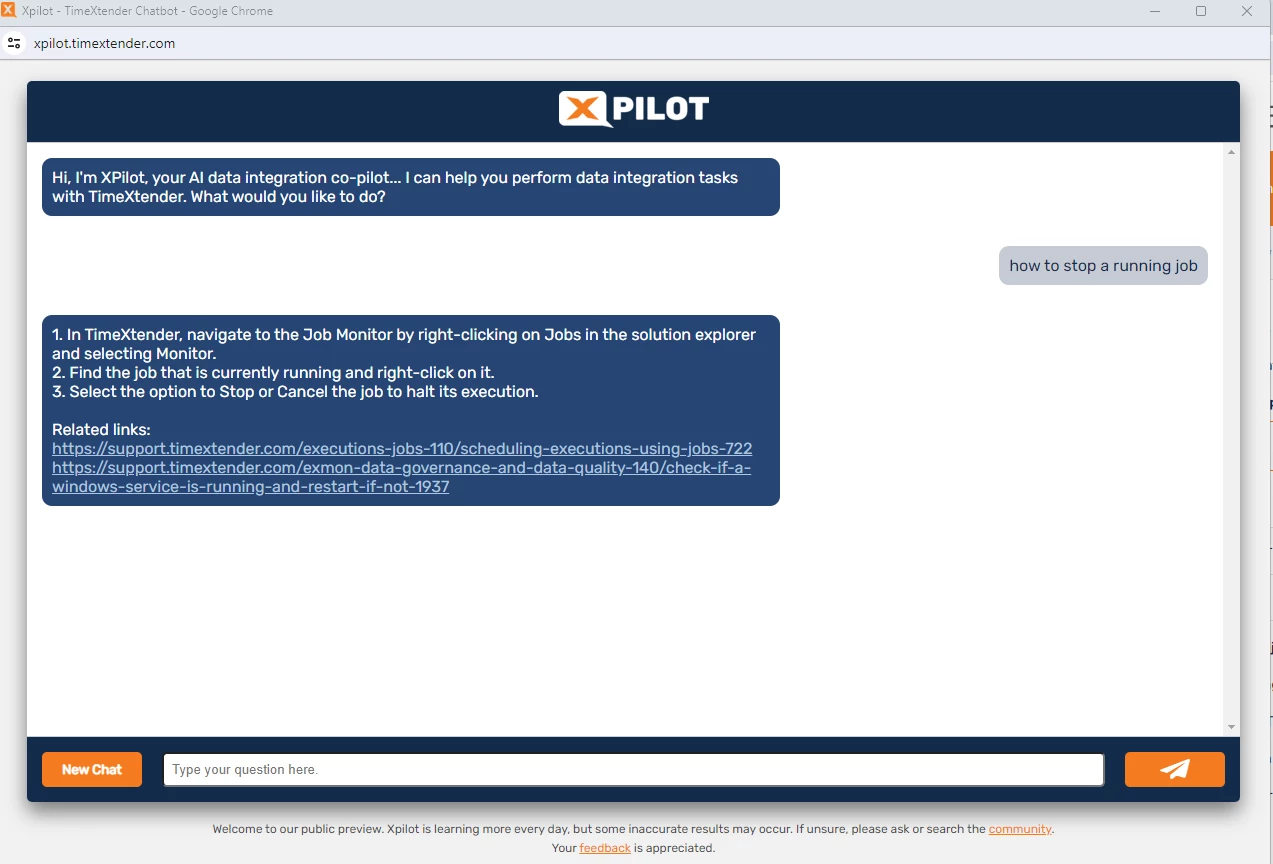
I have not been able to right-click on any Job, running or otherwise. As far as I can tell the Jobs API does not have any stop-job call. For ODX Server executions I can pick them up from the queue and stop them (if I can figure out the correct one) for DWH executions I think my only option is to kill an appropriate session in the backing database.

Am I missing something here?

3 replies

Christian Hauggaard
Community Manager
Forum|alt.badge.img+5

@rory.smith Currently only way to stop the job is to stop the execution service, which will stop all running jobs. I will convert this to a product idea


Roy V
Problem Solver
Forum|alt.badge.img+3
  • Problem Solver
  • June 24, 2024

The same is valid for idle jobs with the status unknown/running that you can kill/stop/remove them from the job monitor. As we don't have direct access anymore to the metadata database of the TimeXtender projects there is no way any more to manage that.


wouter.goslinga
TimeXtender Xpert
Forum|alt.badge.img+3

 For ODX Server executions I can pick them up from the queue and stop them (if I can figure out the correct one)


Should also be a very welcome enhancement if you can see which table is loaded in the ODX execution window.