



When you set up roles and permissions in an Ingest instance, you may want to be able to see what is going on. Currently the UI for this is rather unintuitive:
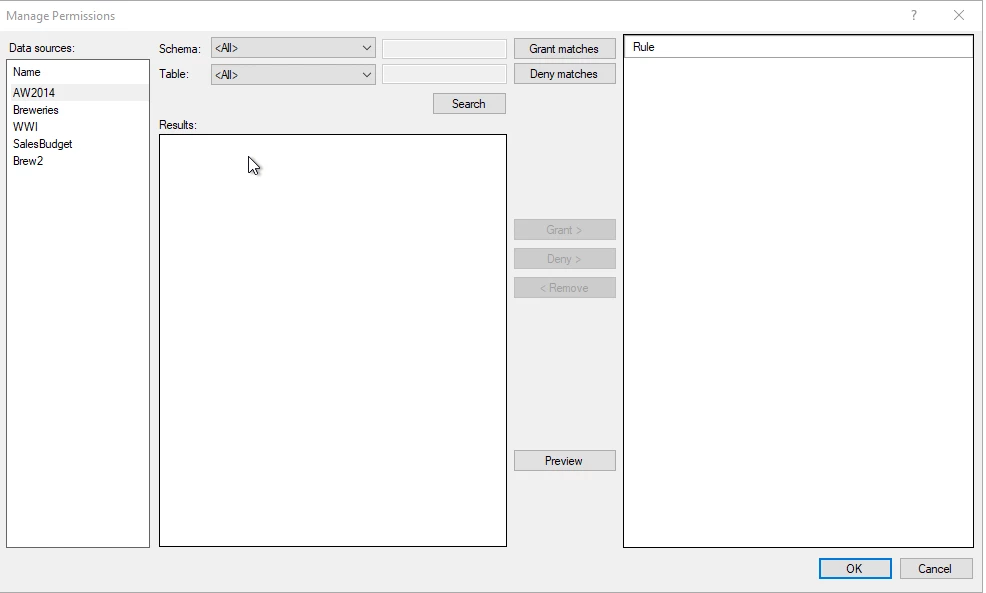
Looking at the screenshot above, you may come to the conclusion that this role has no permissions set up, but you would be wrong. You need to actively click on each Data Source to see what has been defined for that source:
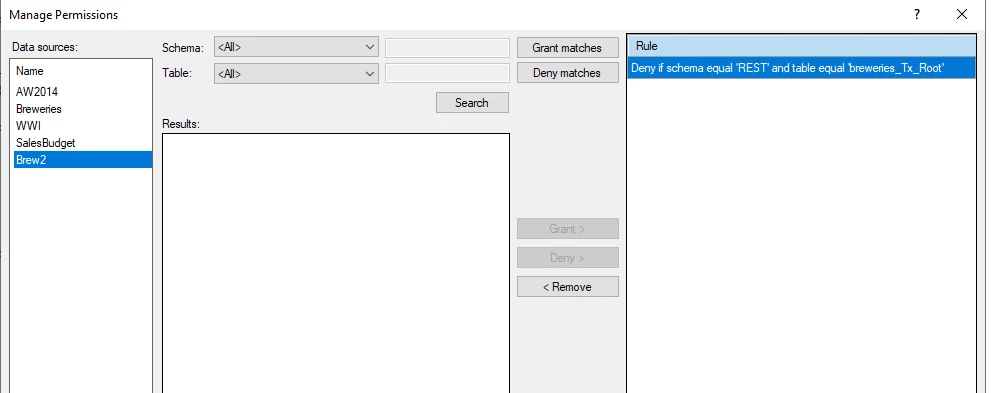
In this case I want to ensure my DENY has been set, but can only check if I highlight the specific source. To improve this I would like to suggest the following:
- upon opening the dialog show all Rules, i.e. do not select a source
- allow a user to unselect a source by clicking on it again if it is highlighted
- make bold / italic if a Data Source has rules set
- think about implementing some kind of ‘effective permission’ visual that allows you to browse through the schemas/tables and marks the access rights (like 20.10.x)
- give a hyperlink to the resource in the Azure portal
