SUBMITTED

Manually refresh RLS security tables for tabular endpoints

  • March 9, 2023
  • 4 replies
  • 66 views

erik.van.mastrigt
TimeXtender Xpert
Forum|alt.badge.img+3

When setting up row-level security (RLS) for tabular semantic layers, so-called security tables are created in the data warehouse. For instance, we’re having a semantic model called ‘UFO201az [...]’ and row-level security enabled on field [PersoneelsgebiedKey].

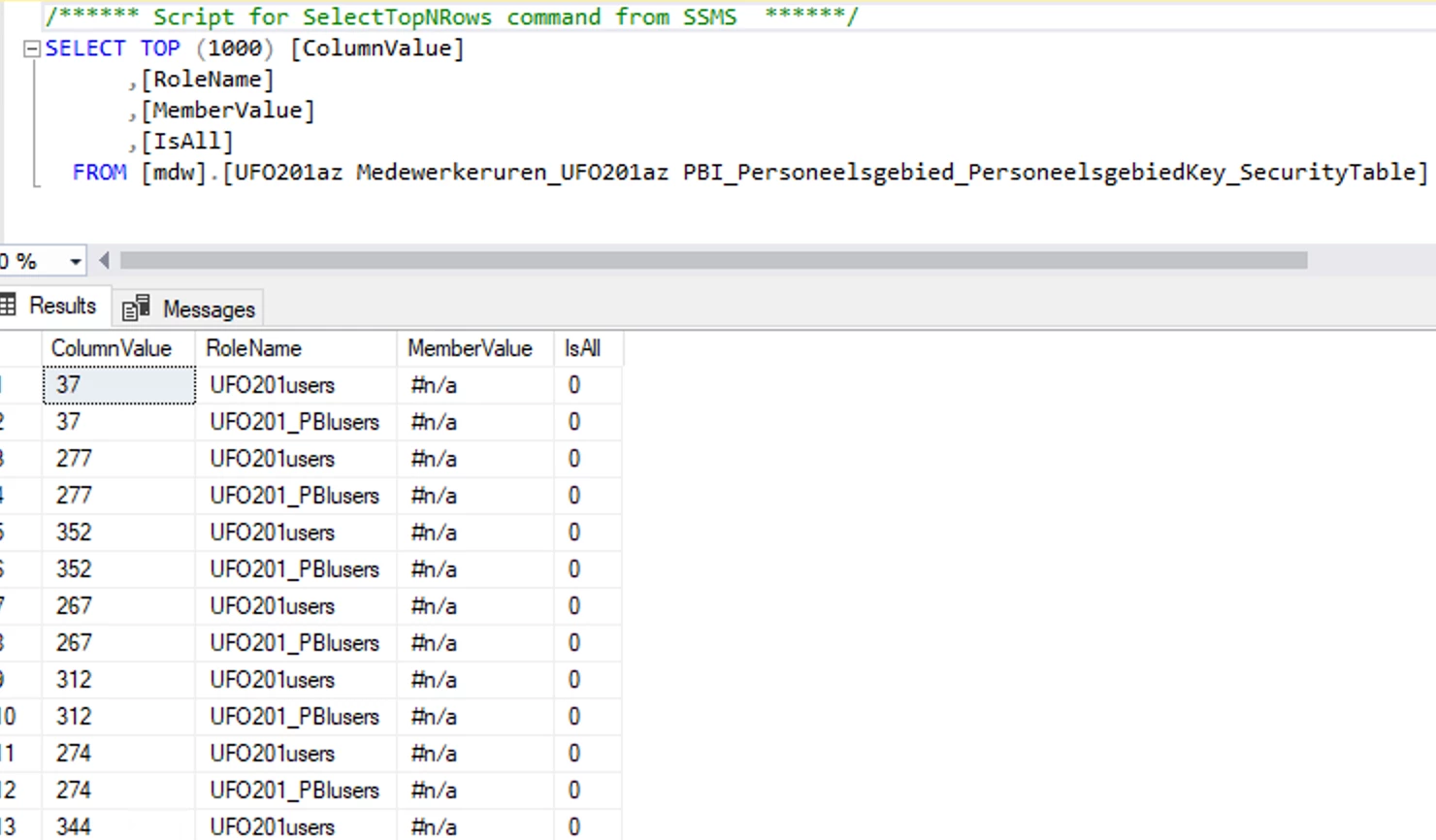
In the MDW this table is created:
:


RLS is dynamic, so all members and values are read from a table, which has its origin in a source system and is being refreshed on a daily base.

While all tables in the data warehouse are daily refreshed, these security tables only refresh when the semantic layer itself is executed from within TImeXtender. For reasons we use external triggers which directly refresh the tabular models (XMLA endpoints actually, but with TX 20.10.39, hence this ‘odd’ workaround :) ). This way of refreshing the endpoints does NOT include the security tables used for RLS, which means that new authorizations won’t appear in the model.

Is there a trick/hack/exploit/statement/stored procedure/etc to refresh these security tables outside from TimeXtender? It would save us some pointless executions of full models, just to keep the RLS in sync.

4 replies

Christian Hauggaard
Community Manager
Forum|alt.badge.img+5

Is it correctly understood that you would like to refresh a specific table (security table) within a tabular model?

If so perhaps you could execute a PowerShell script, see the “Process a Single table in an Azure Analysis Services Tabular model” section in the following guide


erik.van.mastrigt
TimeXtender Xpert
Forum|alt.badge.img+3

Hi Christian,

Thanks for your answer, but this is not the case. I would like to refresh the security table in MDW (see the screenshot) which is the source for the tabular model. But as security tables are created in MDW under the hood (and only if you set up RLS in a semantic layer), this security table is not visible in TimeXtender.

This table in MDW gets refreshed when you execute the semantic model from within TX, but then you also process the full model. I don’t need to refresh the model, I need the security table in MDW to be refreshed.

The actual model is on a different place and put there with Tabular Editor. This one cannot be executed with TX. So if we refresh this one from the Power BI Service, it gets data from MDW, but the security table in MDW never gets a refresh because the execution is done from outside TX.

Hope I’m making sense :)


Christian Hauggaard
Community Manager
Forum|alt.badge.img+5

OK I do not believe there is a workaround for this unfortunately. I will convert this question to an idea.


rvgfox
Problem Solver
Forum|alt.badge.img+4
  • Problem Solver
  • December 17, 2024

Hi ​@Christian Hauggaard ​@erik.van.mastrigt

I am currently solving the problem by modifying the query expression for the security table partition using TE and refreshing the model using Powershell + TE as well.

I think it would be better to be able to run the model from TX but not lose the modifications made by TE.