IMPLEMENTED

Maximize Tabular Custom Measure Script Editor Window

Related products:TimeXtender Data Integration
  • November 20, 2020
  • 3 replies
  • 41 views

It's really annoying that the window can't be maximized or enlarged.
I've asked the support for a long time, unfortunately nothing happened. It shouldn't be a big deal to change that?!

3 replies

Trine Stuhr
Employee
Forum|alt.badge.img+1
  • Employee
  • January 19, 2023

Hi Dritz,

Our apologies for the late response! We love to get feedback and that you bring ideas to improve TimeXtender. I have converted this question to an idea now. Please give us some more details, such as a screen shot of how it looks like on your side, how you would expect to be able to maximize the window and how maximizing the window add value / help you. The more info we get the “easier” it is to bring the idea forward. Thanks a lot


rvgfox
Problem Solver
Forum|alt.badge.img+4
  • Problem Solver
  • February 10, 2023

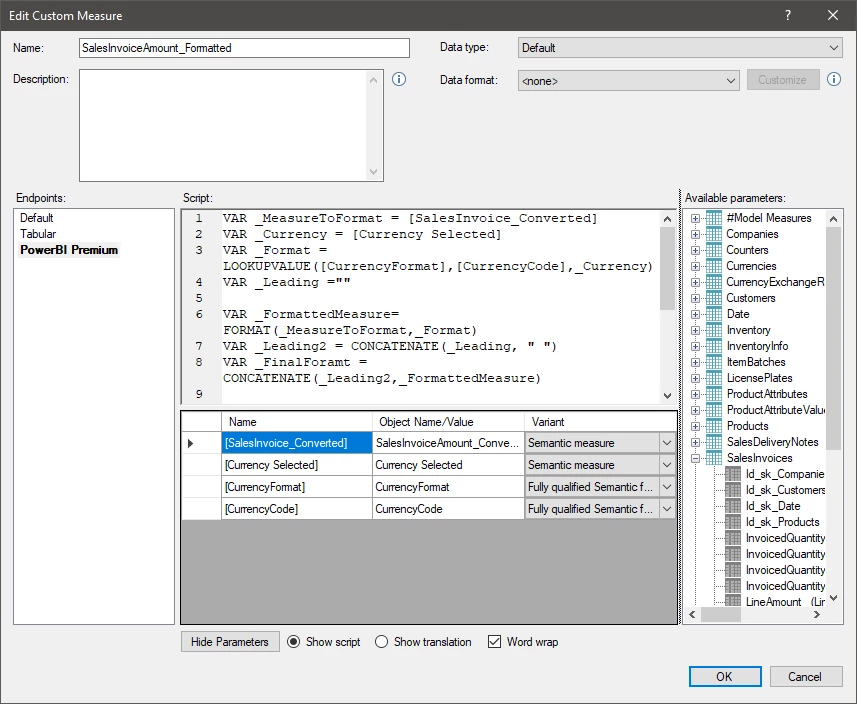
It’s crazy to edit some measures like this without be able to maximize the window:


Thomas Hjermitslev
Community Manager

Flipped this to Implemented as we’ve added maximize buttons to Custom Measure and Custom Field windows in TimeXtender Data Integration 7376.1 and TimeXtender Classic 26.2.