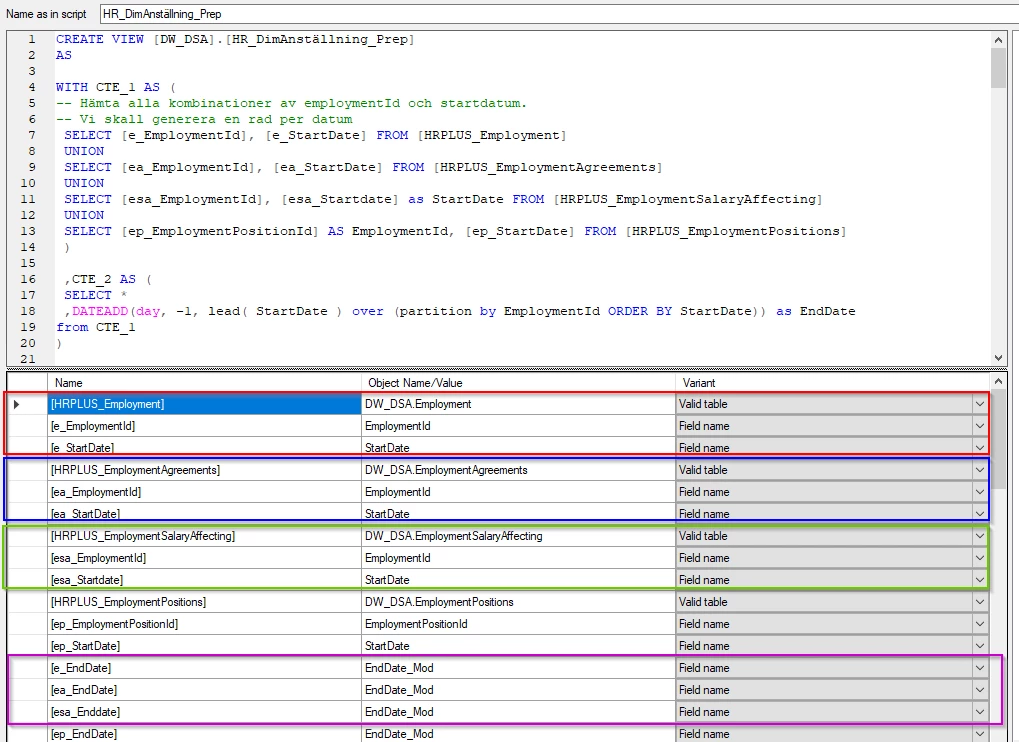
Hi,
To keep order and maintain a good overview we try as far as possible to “group” the tables and the columns that we use in the list of parameters in the Custom View editor. Unfortunately, as soon as we need to add another parameter it always ends up at the end and there is no way to keep the “grouping” other than to remove all the parameters and add them again in the desired order. If there was a possibility to drag-and-drop or arrow buttons to be able to move the parameters up and down in the list, that would make things a lot simpler.