SUBMITTED

Remove Guarded Items from the Deploy Review Tasks Screen

  • September 25, 2023
  • 1 reply
  • 24 views

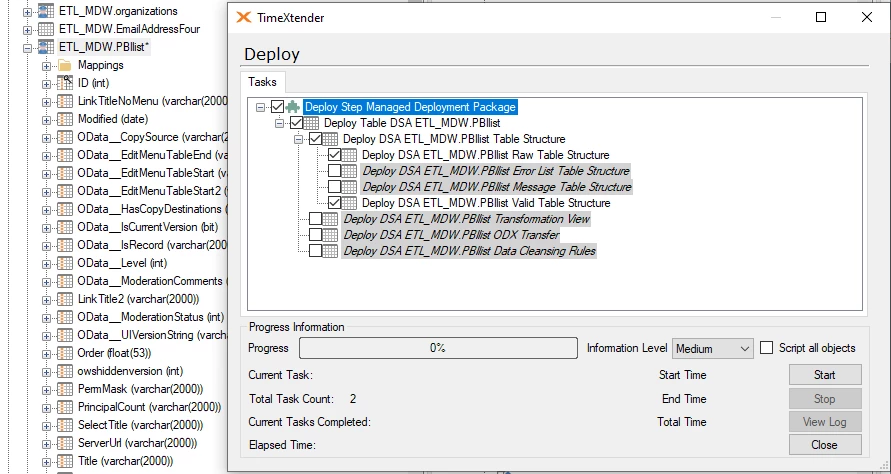
When I am managing a large project with lots of tables in a data warehouse, I will have some table guarded for good reason. When I go to deploy the entire project that table that I have guarded shows as checked in the “review tasks” step of the deployment planning step. 

This is either a feature request or a, what’s the reason for this, as to why is my table that I’ve set as “guard and do not deploy” set up and checked in the review tasks view of the project? 

When the deployment is off and running this table is not deployed as expected, but how come it’s checked in the first place as it causes some confusion and questions about how many items are getting differential deployed. 

1 reply

Christian Hauggaard
Community Manager
Forum|alt.badge.img+5

Hi @ted.clark 

The behavior you describe is expected according to the current guarding functionality. If there is a change to the table (e.g. a change of a field’s data type) then TimeXtender recognizes that there is a change in the table that needs to be deployed, hence why you see the checked items under review tasks below.

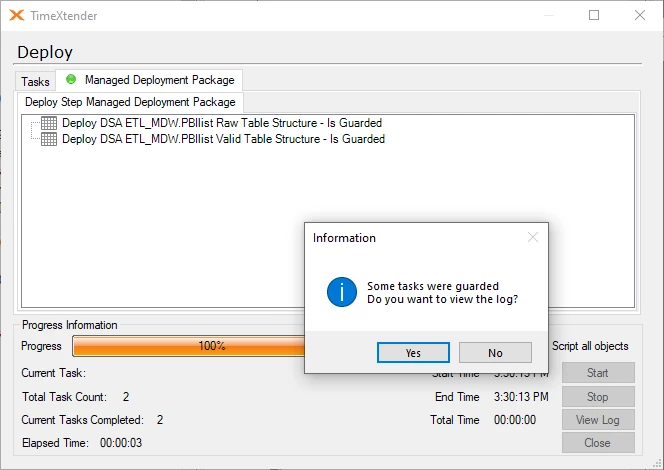
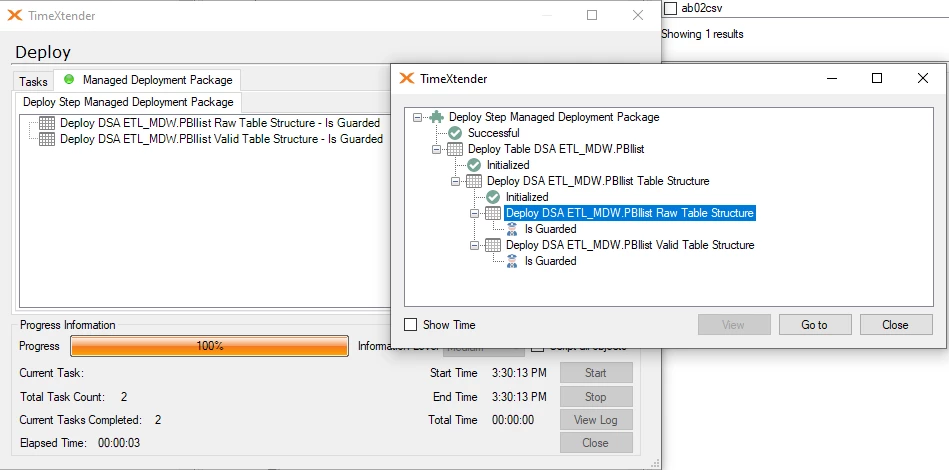
However, as you note, when the table is deployed by clicking start, the changes will not be deployed to the data warehouse, as the table is guarded from deployment, as shown in the info message below.

I will convert this to an idea (i.e. feature request)