SUBMITTED

Show tooltip when hovering over conditional lookup fields

Related products:TimeXtender Data Integration
  • June 21, 2023
  • 3 replies
  • 25 views

Forum|alt.badge.img+2

In version 20.5.7.64 a tooltip showing detailed information about a conditional lookup field would show up when hovering over the CL field, see screenshot:
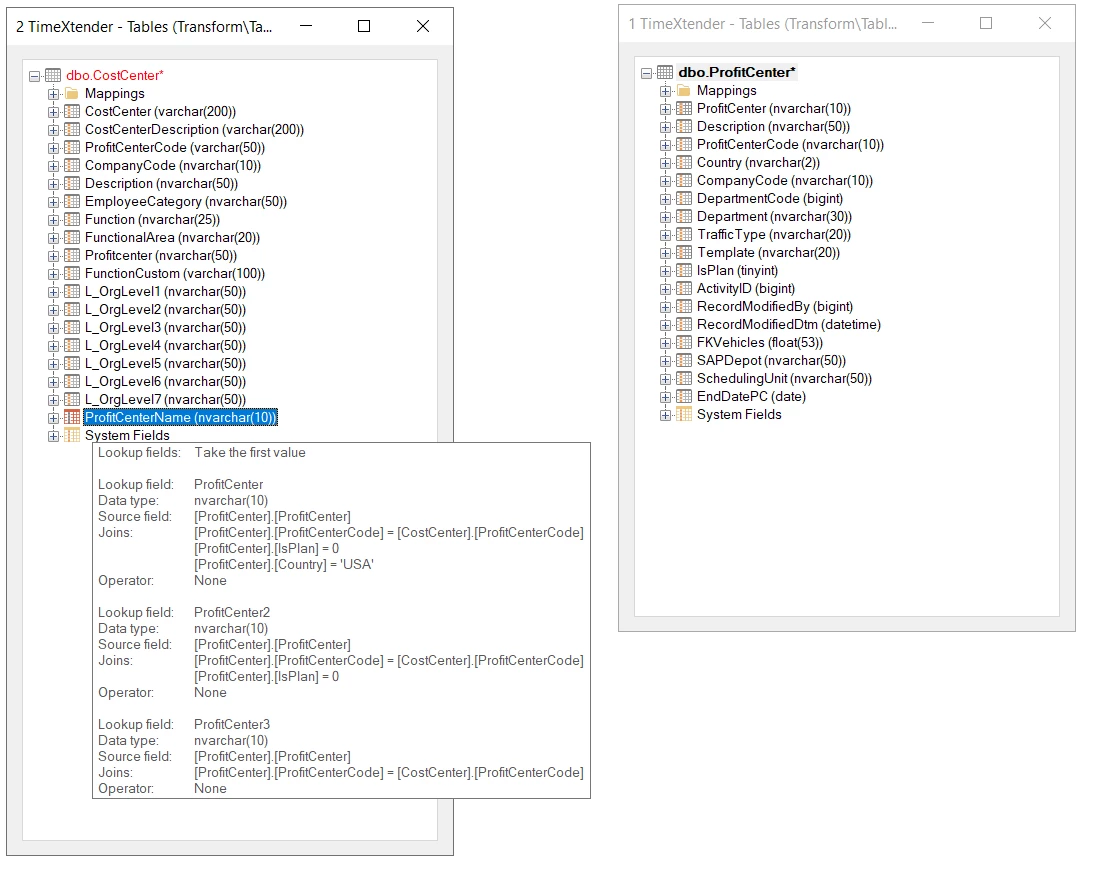
This feature is really useful to get an overview of tables with many conditional lookups, and especially many “multiple conditional lookups”, without having to drill down inte every single field.

This feature has been removed in later versions. It would be great if it could make a comeback in version 6XXX.


3 replies

devin.tiemens
TimeXtender Xpert
Forum|alt.badge.img+6
  • TimeXtender Xpert
  • June 22, 2023

Although I didn't have noticed it yet, I totaly agree this should come back again.


Thomas Lind
Community Manager
Forum|alt.badge.img+5
  • Community Manager
  • June 22, 2023

Hi @pontus.berglund 

It still exists, it has just been moved.

8537: Improve display of very large custom transformations etc.
Very large custom transformation is now handled in the user interface to ensure a fast and stable workflow. This is done by limiting the quick tooltips.


Forum|alt.badge.img+2

Hi @Thomas Lind 

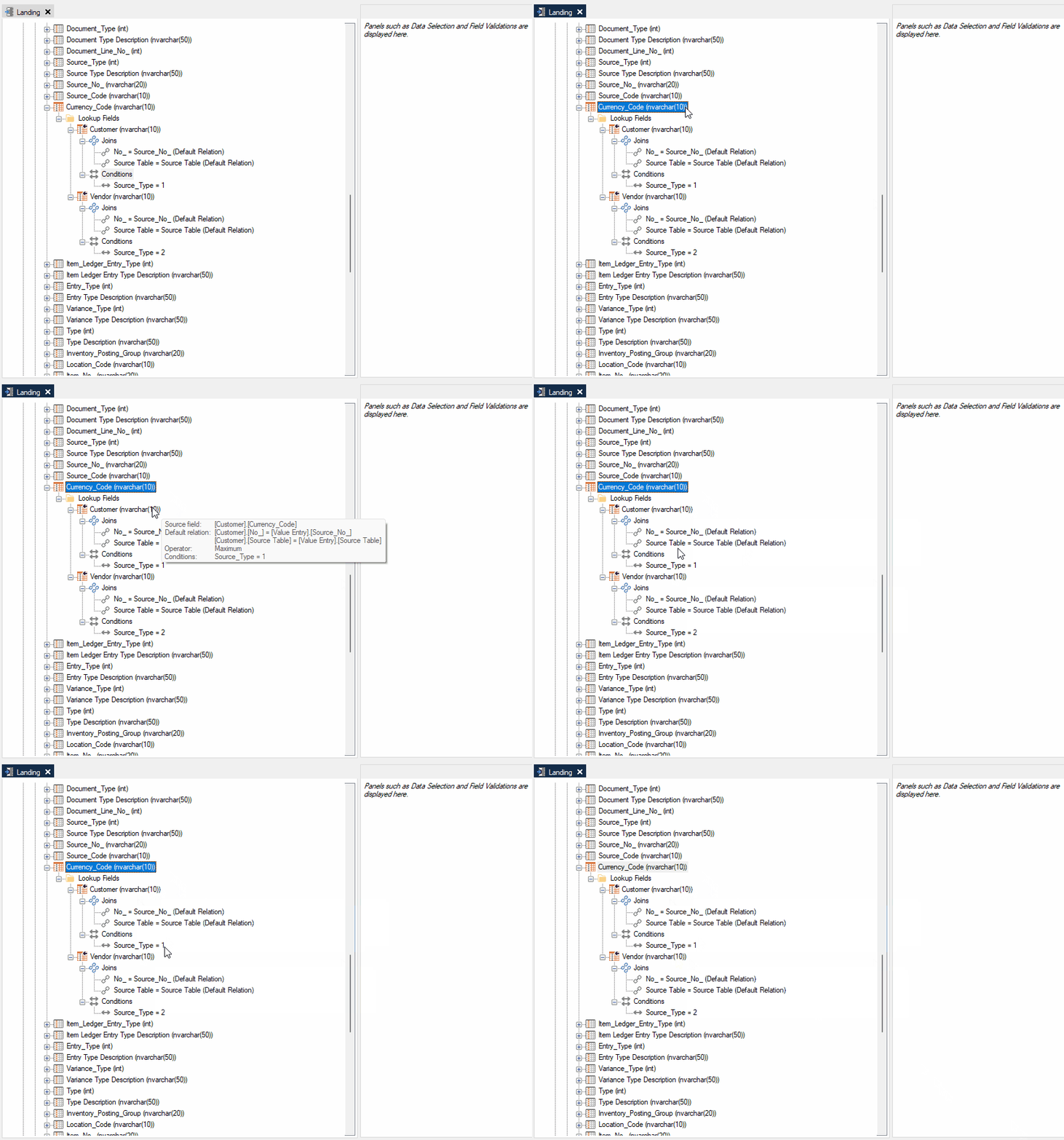
I am not sure I understand what problem #8537 has solved. Is there no other way to solve that issue without limiting the quick tooltips?

In my opinion, there are several reasons the old tooltip is better.

  • With the new tooltip you have to click twice to expand to the relevant node, which is time consuming if you need to browse through several lookup fields
  • If you have “multiple conditional lookups” you miss out on having an overview of all the lookups in a single frame
  • You no longer see the setting “Take the first value / Take the first non-empty value” in the tooltip