
Solved

CSV connector max thread limitation

  • January 21, 2026
  • 4 replies
  • 19 views

Forum|alt.badge.img

Hello,

I use TimeXtender CSV Data Source (version 23.18.5.0). I'm trying to read about 15 csv's from an sftp server, but since january 15th 2026 we get an error. This server is hosted by an external supplier which has it's settings limited to max 1 session (no concurrent sessions).

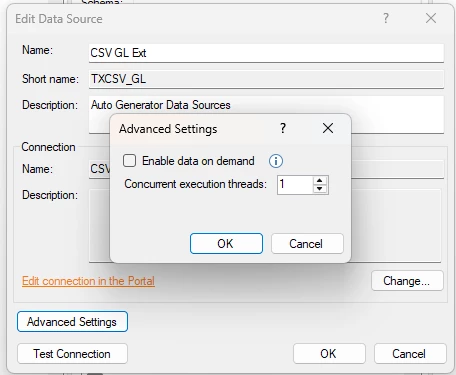
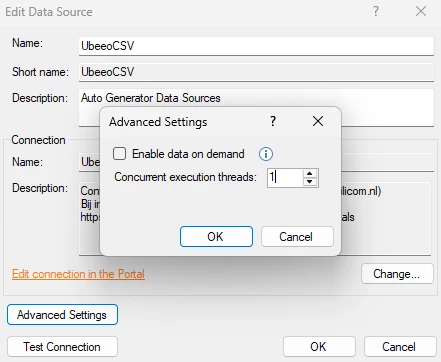
In TDI I've configured the max concurrent threads on 1, so max 1 thread at a time. My transfer still crashes because I use too many threads.

I tried to put max concurrent threads on 0. This resulted in a never ending transfer task. Didn't work.

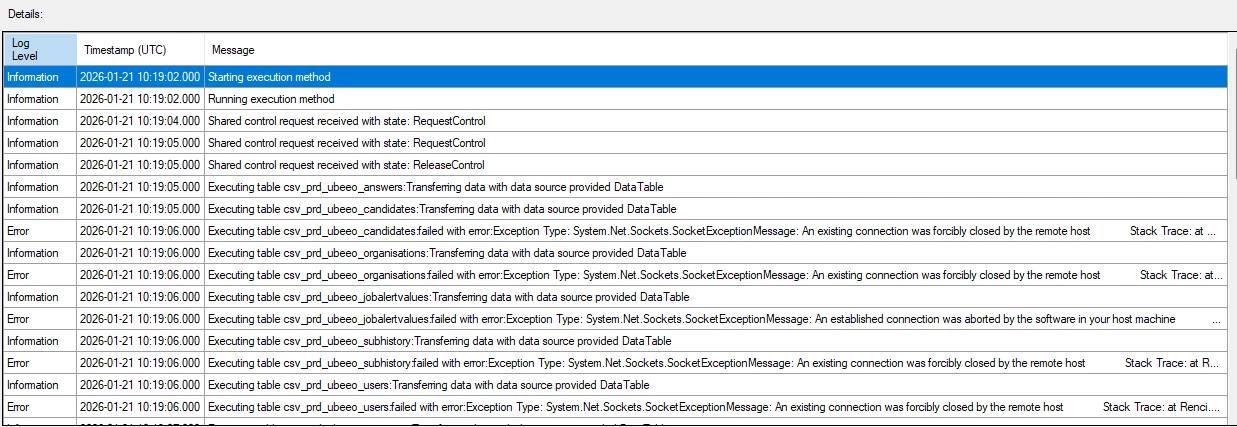
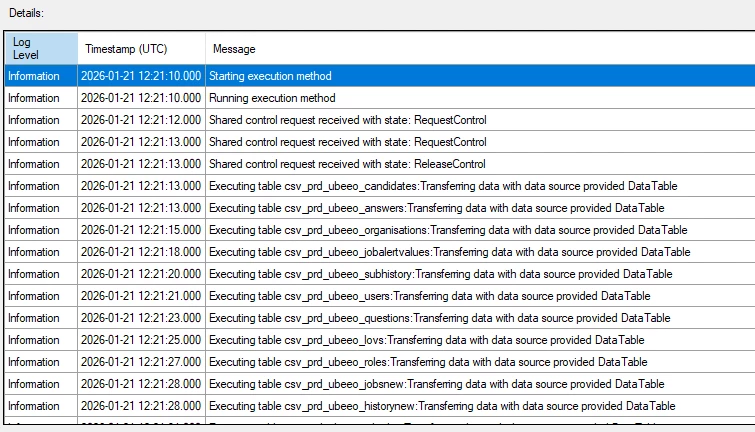
After this the supplier increased it's max threads temporarily for testing purposes. I configured the connector on 1 thread again. If I look in the log, I can see that the first 2 tables start on the same timestamp. This occurs a couple of times more. Is the connector using 2 threads now?

Is this advanced max thread setting working correctly for the TX csv connector? Supplier claims we're not using 1 thread. I'm not sure how I can check and prove this. Do you have any advice?


Attached screenshots:

  1. Thread setting I changed
  2. Transfer resulting in error
  3. Transfer resulting in success (after supplier removed multi thread limitation)
 

Best answer by juriaan.hensbroek

We have a BETA version running. I've tested it there.

TDI version: 10.7241.1

TX CSV connector version: 24.2.5.0

Concurrent threads: 1

Result looks like what you experience. Never 2 tables on the same timestamp. Looks like a version thing.


I tested our current production version again to be sure.

TDI version: 7150.1

TX CSV connector version: 23.18.5.0

Concurrent threads: 1

Result also looks good now. Originally I tested with connector version 23.5.3.0 which I upgraded when this issue occured. Maybe it needed a day to see the effects.


For me the issue is solved now. Thanks for your time and effort!

4 replies

Thomas Lind
Community Manager
Forum|alt.badge.img+5
  • Community Manager
  • January 22, 2026

Hi ​@juriaan.hensbroek 

It should run it in one thread if you set it to 1. 0 should be an unlimited amount of threads, which may explain the odd behavior.

Looking at the image it seems like it runs some in one and some in two threads.

I will make an internal case for this. I do need more info. While the provider version is important, it is not the whole thing, the TDI version is also part of this.


Forum|alt.badge.img

Ok, great. TDI version is 7150.1. If you need more information please let me know.


Thomas Lind
Community Manager
Forum|alt.badge.img+5
  • Community Manager
  • January 22, 2026

Hi ​@juriaan.hensbroek 

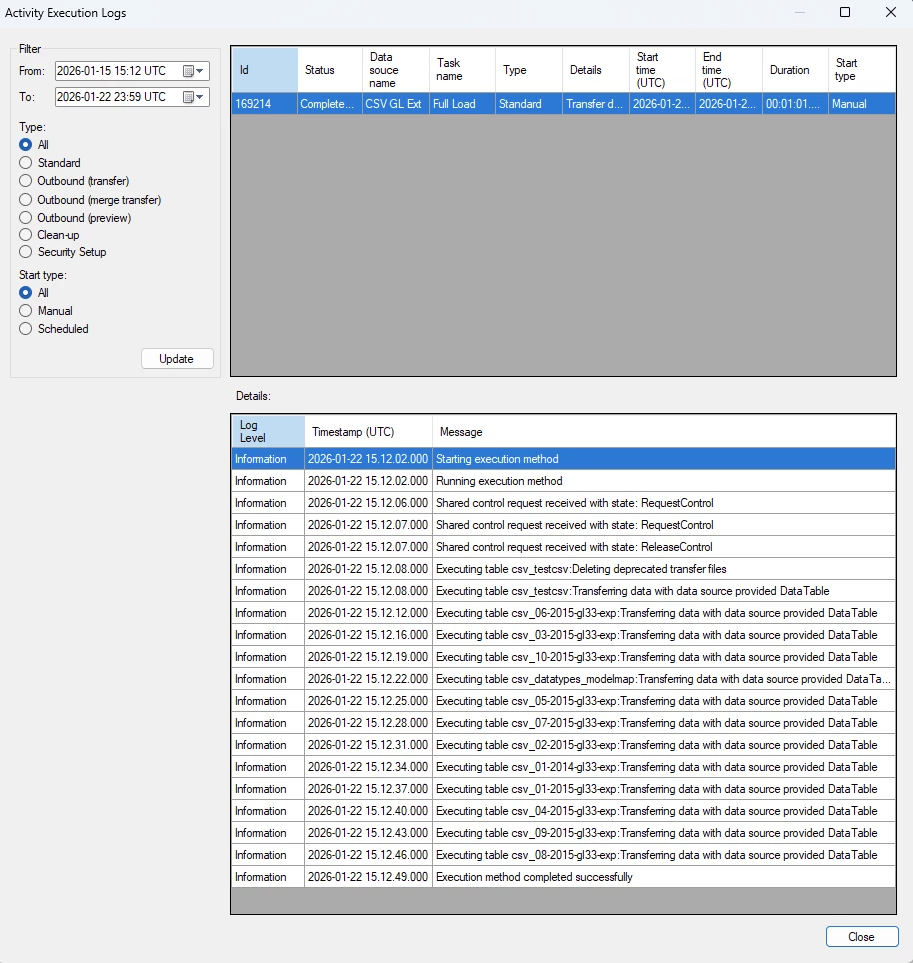
I have TDI 7158.1 on my setup. I have a CSV data source where I use an aggregation to merge some similar files, but it was a fine candidate to test the behavior.

So I set the threads as so.


Then I executed it. This was the result.

I do not see two tables starting at the same time.
Besides using the version stated above, my files are stored in an Azure Blob store container.

I don’t know if it would work by upgrading, there is no changes in regards to concurrent threads since the version you are on. I will not rule that out completely, but if you want to be sure that it isn’t somehow due to SFTP being used as the location of the files, I will have to test it. I do not have access to any myself.


Forum|alt.badge.img

We have a BETA version running. I've tested it there.

TDI version: 10.7241.1

TX CSV connector version: 24.2.5.0

Concurrent threads: 1

Result looks like what you experience. Never 2 tables on the same timestamp. Looks like a version thing.


I tested our current production version again to be sure.

TDI version: 7150.1

TX CSV connector version: 23.18.5.0

Concurrent threads: 1

Result also looks good now. Originally I tested with connector version 23.5.3.0 which I upgraded when this issue occured. Maybe it needed a day to see the effects.


For me the issue is solved now. Thanks for your time and effort!