Hello,
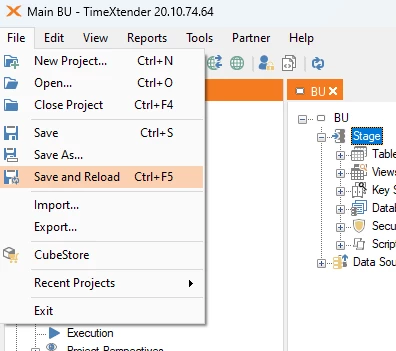
Three of my collegueas where developing in our dev enviroment. And when trying to save the project, we got the error:
An error occurred while saving the project to the database.
An item with the same key has already been added.
Detailed error:
An error occurred while saving the project to the database.
Er is al een item met dezelfde sleutel toegevoegd.
Details:
Er is al een item met dezelfde sleutel toegevoegd.
Module: mscorlib
System.ArgumentException
bij System.ThrowHelper.ThrowArgumentException(ExceptionResource resource)
bij System.Collections.Generic.Dictionary`2.Insert(TKey key, TValue value, Boolean add)
bij TimeXtender.DataManager.ProjectPerspective.AddProjectPerspectiveItem(ProjectPerspectiveItemsRow itemRow)
bij TimeXtender.DataManager.Project.InitProject(Int32 version, DsProject loadDsProject, DataSet adaptersDataSet, ProjectsRow projectRow)
bij TimeXtender.DataManager.Project.LoadProject(DsProject _dsProject)
bij TimeXtender.DataManager.Project.<>c__DisplayClass136_0.<LoadProject>b__0()
bij TimeXtender.DataManager.ConnectingThread.ExecuteConnectingThread(Object dummy)
Er is al een item met dezelfde sleutel toegevoegd.
Module: timeXtender
TimeXtender.DataManager.ExceptionWrapperException
bij TimeXtender.DataManager.ConnectingThread.HandleError()
bij TimeXtender.DataManager.ConnectingThread.Execute(String title, Int32 progressSteps, List`1 actions)
bij TimeXtender.DataManager.Project.LoadProject(Guid _projectId, LockStrategy _lockStrategy, Int32 version, IWin32Window dialog, String projectName, String title)
bij TimeXtender.DataManager.ProjectController.LatestProject(Guid guid, LockStrategy lockStategy)
bij TimeXtender.DataManager.SaveProjectCommand.LoadProject(Guid projectId, Int32 version, LockStrategy lockStategy)
bij TimeXtender.DataManager.SaveProjectCommand.Execute()
Time: 2025-12-04 11:58:07
UTC: 2025-12-04 10:58:07
Title: TX_Informatieloket - TimeXtender 20.10.45.64
Application: 20.10.45.64
Repository: 20.10.45.64
SQL Server: Microsoft SQL Server 15.0.4410.1 NT x64
User: tbakker
Domain: NETWERK
OS: Microsoft Windows Server 2022 Standard
OS version: Microsoft Windows NT 6.2.9200.0
Machine name: RD170
CPU count: 6
Build: 64 bit
Could someone please help us. We are not able to work.
I have already submitted a ticket with number #38101