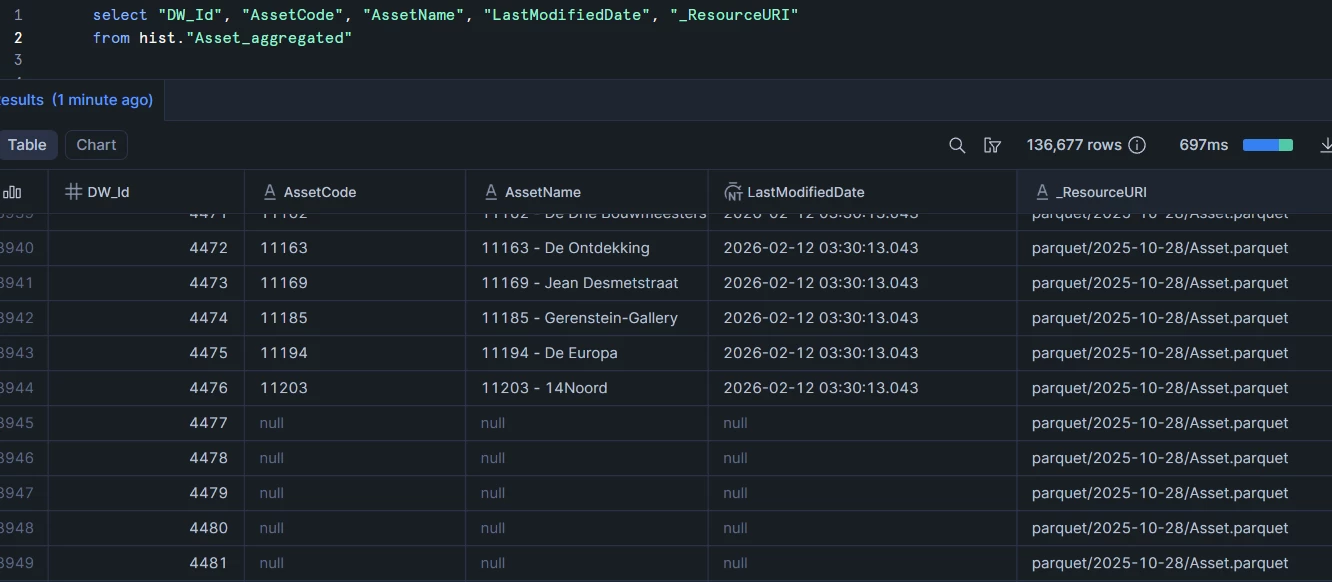
Hello,
I am connecting to an external blob storage using a private endpoint. The blob storage is structured as follows:
- parquet/
- 2025-12-29/
- Acquisition.parquet
- Asset.parquet
- AssetBalanceSheet.parquet
- …
- User.parquet
- ValuationAssumption.parquet
- 2025-12-30/
- Acquisition.parquet
- Asset.parquet
- …
- Etc.
- 2025-12-29/
I am using the TimeXtender Parquet Data Source provider. The connection works, but the results I get from the Metadata Manager are not what I expect.
Current settings
-
Path:
parquet/ -
Include subfolders: Yes
-
Included file types:
parquet -
File aggregation pattern:
Asset.parquet
Expected behavior
I expect the Metadata Manager to return a single table called “Asset”, aggregated across all available date folders.
Actual behavior
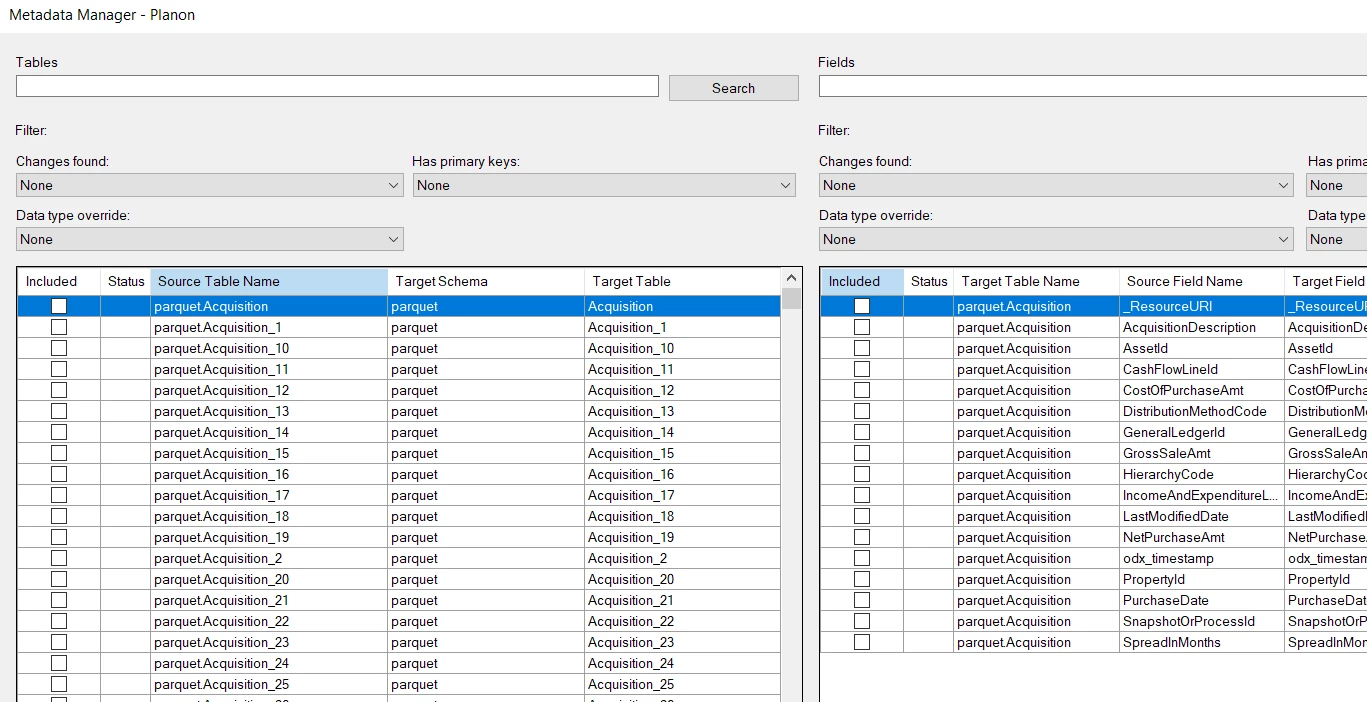
Instead, all files/tables are returned, with what appears to be an "_<number>" suffix added for each additional date folder (e.g. Asset, Asset_1, Asset_2, etc.).
I tried many setting combinations:
Test 1: Exact filename, no wildcards
- Path:
parquet/ - Include subfolders:
Yes - File aggregation pattern:
Asset.parquet - Expected: Should aggregate all
Asset.parquet files into one table
Test 2: Multiple exact filenames
- Path:
parquet/ - Include subfolders:
Yes - File aggregation pattern:
Acquisition.parquet, Asset.parquet - Expected: Two tables - one for Acquisition, one for Asset
Test 3: Wildcard at start
- Path:
parquet/ - Include subfolders:
Yes - File aggregation pattern:
*Asset.parquet - Expected: All files ending with "
Asset.parquet"
Test 4: Path wildcard with subfolder pattern
- Path:
parquet/ - Include subfolders:
Yes - File aggregation pattern:
*/Asset.parquet - Expected: All
Asset.parquet in any subfolder
Test 5: Double wildcard
- Path:
parquet/ - Include subfolders:
Yes - File aggregation pattern:
**/Asset.parquet - Expected: All
Asset.parquet in any nested folder
Test 6: Date pattern in aggregation
- Path:
parquet/ - Include subfolders:
Yes - File aggregation pattern:
20??-??-??/Asset.parquet - Expected: All
Asset.parquet in date-formatted folders
Test 7: Wildcard in path instead
- Path:
parquet/*/ - Include subfolders:
No - File aggregation pattern:
Asset.parquet - Expected: Aggregate from all first-level subfolders
But all these tests returned the same metadata as in the image from before. The only test that somewhat did what I wanted it to do was:
Test 8: Specific date in path
- Path:
parquet/2025-12-29/ - Include subfolders:
No - File aggregation pattern: (empty)
- Expected: One table per entity from that partition only
This returned one table per Parquet file in that date folder, which is correct but it only works for a fixed date.
What I actually want is to ingest the newest available data each day, and as far as I know, the path cannot be made dynamic using a variable.
Should I be using a different data source provider, or should I contact my data supplier with a request to change their folder structure?
Thanks!