Question

Releasing Work Items TX 20.10.45.64

  • December 8, 2025
  • 6 replies
  • 27 views

Hi All,

In TX 20.10.45.64 we would like to work with Work Items to prefent Project Locks. 

There is no option to Release the work item and make it green. I already tried:

  • Deploy Execut
  • Save and Reload the project

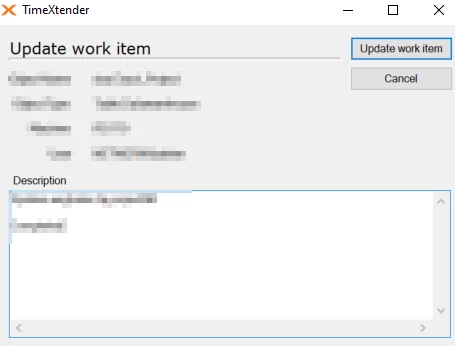
We only have the option to update, edit or delete the workitem.
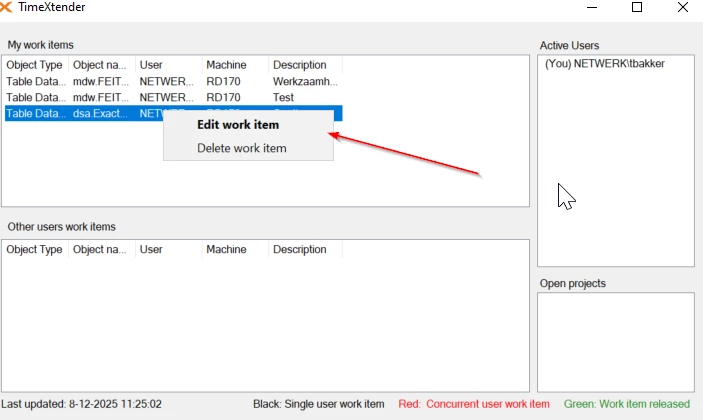


How do we release these items and make them green? 

6 replies

Christian Hauggaard
Community Manager
Forum|alt.badge.img+5

Hi ​@Timmm please see the section “Completing or Releasing Work Items” in the following guide

The guide is for TDI but I believe it works the same way for 20.10 (Classic). Please also see the following guide


  • Author
  • Participant
  • December 8, 2025

Hi ​@Christian Hauggaard ,


Thank you for your reply. I did this:

  • Once you are done working on an object, Save and Reload (keyboard shortcut: Ctrl+ F5) to release the work item.

3 times. Work items still remain grey. 

Any suggestions?


Christian Hauggaard
Community Manager
Forum|alt.badge.img+5

@Timmm when you deployed the relevant object, did you check the work item checkbox similar to below?


  • Author
  • Participant
  • December 8, 2025

Thanks. This a resolution, but it removes the work item, doenst make it green.

Even if i check “Keep Associated Work Items”


rory.smith
TimeXtender Xpert
Forum|alt.badge.img+8
  • TimeXtender Xpert
  • December 8, 2025

Hi,

as far as I am aware checking the work items and deploying successfully immediately removes them from the repository if you don't have the “Keep associated work items” checked. The work items data in the repository is not a SCD like most other tables.

I don't think I have ever seen the green state. On the other hand, the interface would get cluttered if work items were not immediately purged.


  • Author
  • Participant
  • December 8, 2025

@rory.smith , thanks for your reply. Makes sense!