Question

S3 Bucket with files in root

  • May 26, 2026
  • 6 replies
  • 66 views

I believe I have read the documentation, in case I missed something. My bad. 

Im trying to load csv files from the root of a S3 bucket. The 'test connection’ in the portal turns green but when trying to synchronize in timextender it tells me I have to enter a value for ‘path’.

I have tried these so far:


/

.

mybucketname/

inbound/

s3://mybucketname/inbound/

But timextender keeps throwing errors saying the directory does not exist. 
I can succesfully connect to it and download the csv's via Python so Im quite sure the setup is correct. 


Does anyone know what to fill in for ‘path’?

6 replies

Thomas Lind
Community Manager
Forum|alt.badge.img+5
  • Community Manager
  • June 2, 2026

Hi ​@Marcodenijs 

What version of the provider are you using and what version of timextender?


  • Author
  • Contributor
  • June 8, 2026

Hi ​@Thomas Lind ,

Timextender: 7303.1

Provider version: 24.5.5.0

Greetings Marco


Thomas Lind
Community Manager
Forum|alt.badge.img+5
  • Community Manager
  • June 11, 2026

Hi ​@Marcodenijs 

I do not personally have a S3 bucket to test on, so it is a guess.

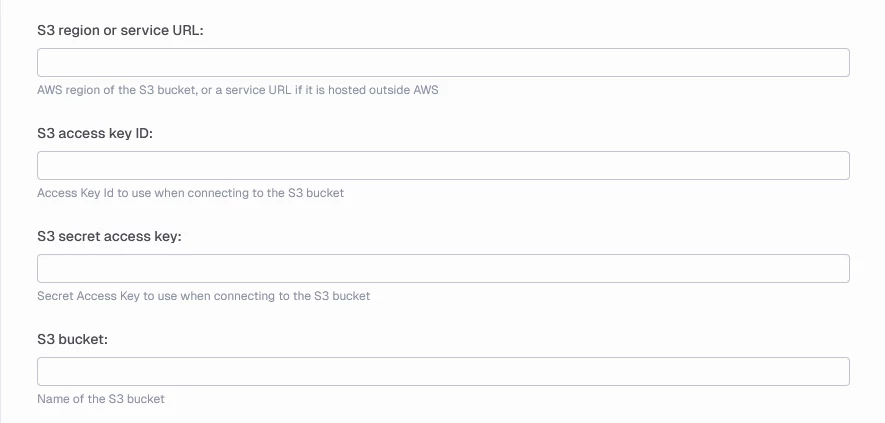
The fields specifically for S3 are these

So that would mean that root is that Path is empty and then turning on Include Sub-folders would make it pull all files fitting the Included file types field or the file Aggregation pattern field.

If having the above setup and Include Sub-folders turned off give issues when synchronizing, it may be due to the version you are on. You upgraded the provider but not the TDI version.

Your other option is to use the folder called inbound. If you want to locate the files in that and no lower level, you do not need to check the Include Sub-folders field. What you add to the Path field is just the name of the folder inbound and nothing else. If there is a lower lever than inbound say csv for example. Then the path would be inbound/csv and nothing else.


  • Author
  • Contributor
  • June 13, 2026

Hi ​@Thomas Lind 

I have updated my data integration also now. It seems as Timextener simply wont allow te Path to be empty. 

If I fill in 1 of the file name for ‘Path’ it works fine. Using ‘inbound’ throws an error saying the inbound folder does not excist. 


Thomas Lind
Community Manager
Forum|alt.badge.img+5
  • Community Manager
  • June 15, 2026

Hi ​@Marcodenijs 

Did you try to upgrade TDI to the newest version so it fits with the Enhanced provider?


  • Author
  • Contributor
  • June 15, 2026

Hi ​@Thomas Lind 

Im using:

Data integration:

7387.1

Provider name:

TimeXtender CSV Data Source

Provider type:

TimeXtender enhanced

Provider version:

24.5.5.0