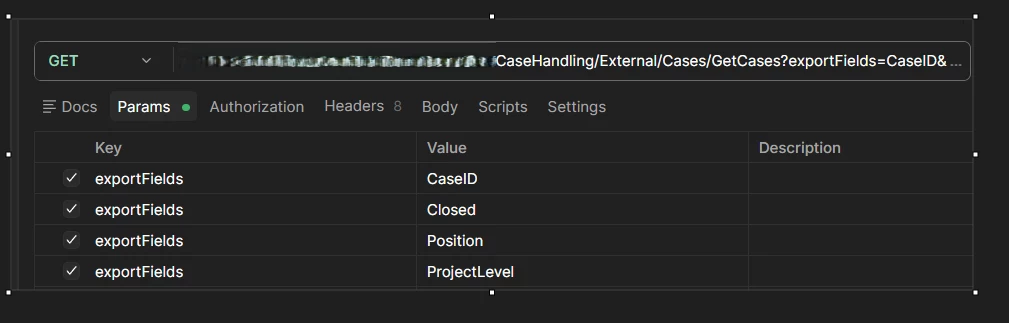

Question

Same key for a parameter gives empty table

  • April 24, 2026
  • 3 replies
  • 29 views

Forum|alt.badge.img+2

I have en endpint with multiple parameters:

CaseHandling/External/Cases/GetCases?exportFields=CaseID&exportFields=Closed&exportFields=Position&exportFields=ProjectLevel&exportFields=Anonymous&
  • Key is always exportFields
  • Values are different

In CData i have no issues getting values in the columns.
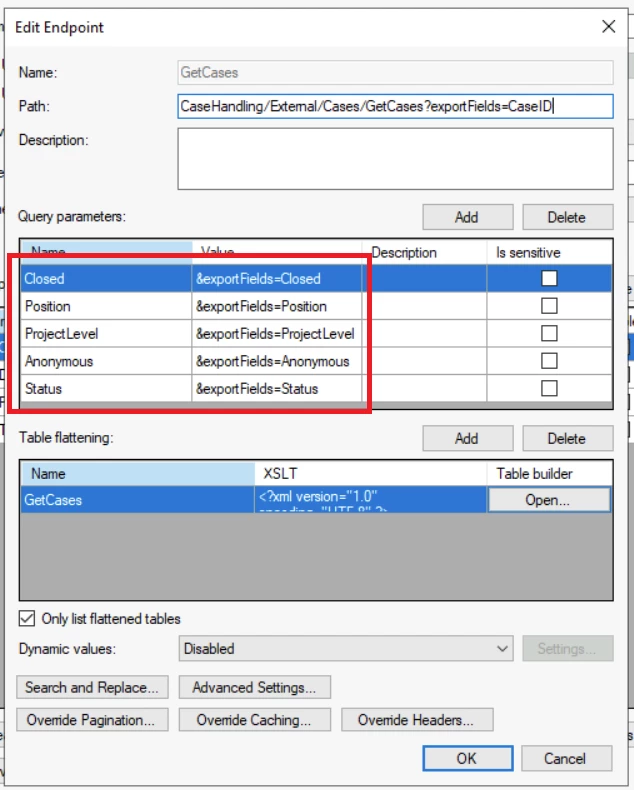
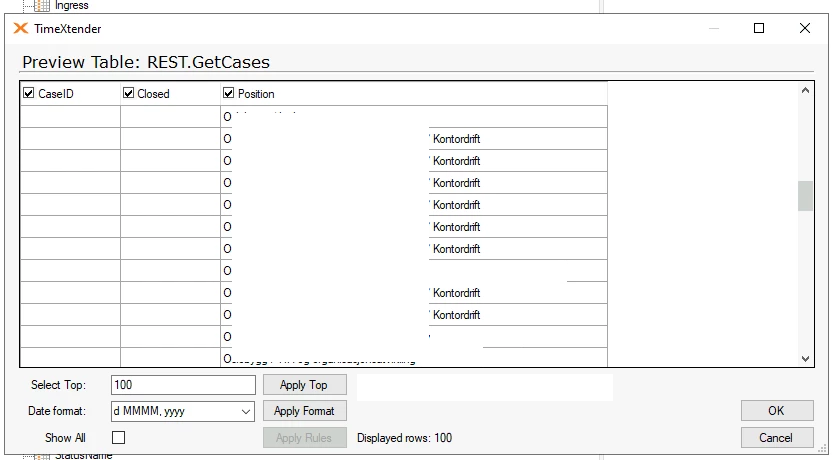
In TX Enhanced Connection, when i define multiple parametes with key-anme exportFields and different value, only the last is shown:
 

This is how i have defined in TX Endpoint
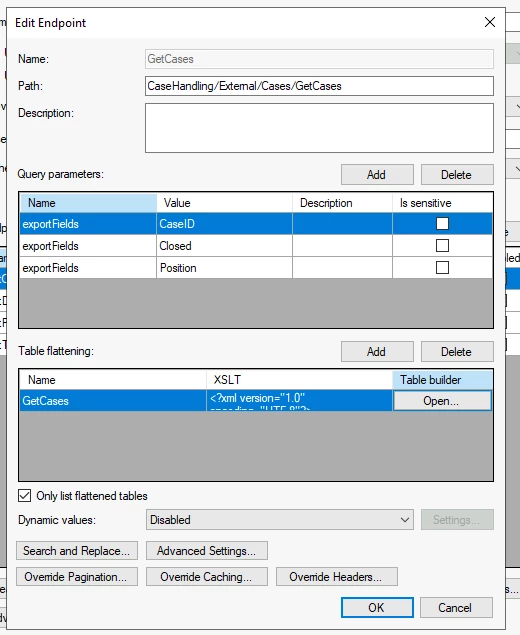
 

I have tried the whole endoint in Path, which gived empty table



3 replies

Thomas Lind
Community Manager
Forum|alt.badge.img+5
  • Community Manager
  • June 2, 2026

Hi ​@aftabp 

You can’t use multiple parameters with the same name. So if your API do not support multiple options separated with commas or similar it will not work.

You can always use an external tool like Postman to test the endpoint URL. If it works here it should work in our REST providers as well.


Forum|alt.badge.img+2
  • Author
  • Problem Solver
  • June 2, 2026

@Thomas Lind 
That didnt resove the issue.
Eventhough i have put this in the enpoint URL:
CaseHandling/External/Cases/GetCases?exportFields=CaseID&exportFields=Closed&exportFields=Position&exportFields=ProjectLevel

I only see data in one column


Thomas Lind
Community Manager
Forum|alt.badge.img+5
  • Community Manager
  • June 3, 2026

As mentioned 

Hi ​@aftabp 

You can’t use multiple parameters with the same name. So if your API do not support multiple options separated with commas or similar it will not work.

You can always use an external tool like Postman to test the endpoint URL. If it works here it should work in our REST providers as well.

exportFields=CaseID&exportFields=Closed&exportFields=Position&exportFields=ProjectLevel

You use the same field four times.