Question

Missing tables after Multiple Environment Transfer

  • April 2, 2026
  • 3 replies
  • 11 views

Hi everyone,

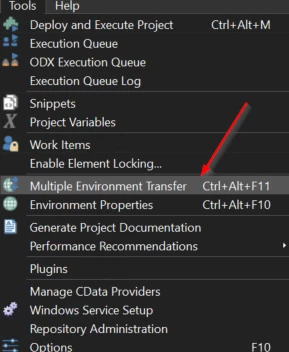
We are currently using TimeXtender 20.10.45. After performing a multiple environment transfer from our dev to our test environment, some tables disappear (physical tables, not R or RT tables). I had to create these tables manualy. 

How is this possible, and could it be related to the version?


3 replies

rory.smith
TimeXtender Xpert
Forum|alt.badge.img+8
  • TimeXtender Xpert
  • April 2, 2026

Hi,

environment transfer by itself only takes the most recent version of the project from the source repository database and pushes that to the target repository where it becomes the newest version. Any changes to your data database (databases backing BU, ODX, DWH) only happen on subsequent deploy.

TimeXtender does not delete physical tables if they are deleted from a project in an earlier environment and transferred to another. They may be truncated by a deploy depending on the change. If you change schema allocations that might result in the physical table “not being there” because the new schema did not have it yet but then the old schema will still hold the table.


  • Author
  • Participant
  • April 7, 2026

Hi ​@rory.smith,

Thank you for your reply. We did not do any schema changes in dev before we transfered to our test enviroement. 

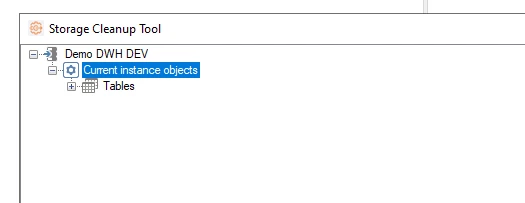
The only thing we did which might cause the problem was using the function SQL Databases Cleanup Tool. We did clean our dev environment. Was this a possible cause? 


rory.smith
TimeXtender Xpert
Forum|alt.badge.img+8
  • TimeXtender Xpert
  • April 7, 2026

Hi,

the cleanup tool will itemize database objects that do not belong to the instance you call it from, are deleted from the implementation, or were created by something else.

If you are using the same database for multiple instances, you may see a folder of items that belong to those other instances and you could delete things from there. As you cannot right-click and drop at the database level, I don't think it is easy to accidentally delete data from another instance. Valid tables for history and incremental load also get an extra layer of protection.


If you deleted tables in DEV that were still there in TST, the tables in the TX interface would be gone in TST post-transfer but the tables would still be in the database until you explicitly performed a cleanup on the TST database. I would ensure that:

  • databases for environments are separate
  • no users saved a project they had open for a very long time just before or during environment transfer