


Question

Installing Classic 26.2.1.1 - Cannot Activate

  • June 8, 2026
  • 3 replies
  • 78 views

Forum|alt.badge.img+1

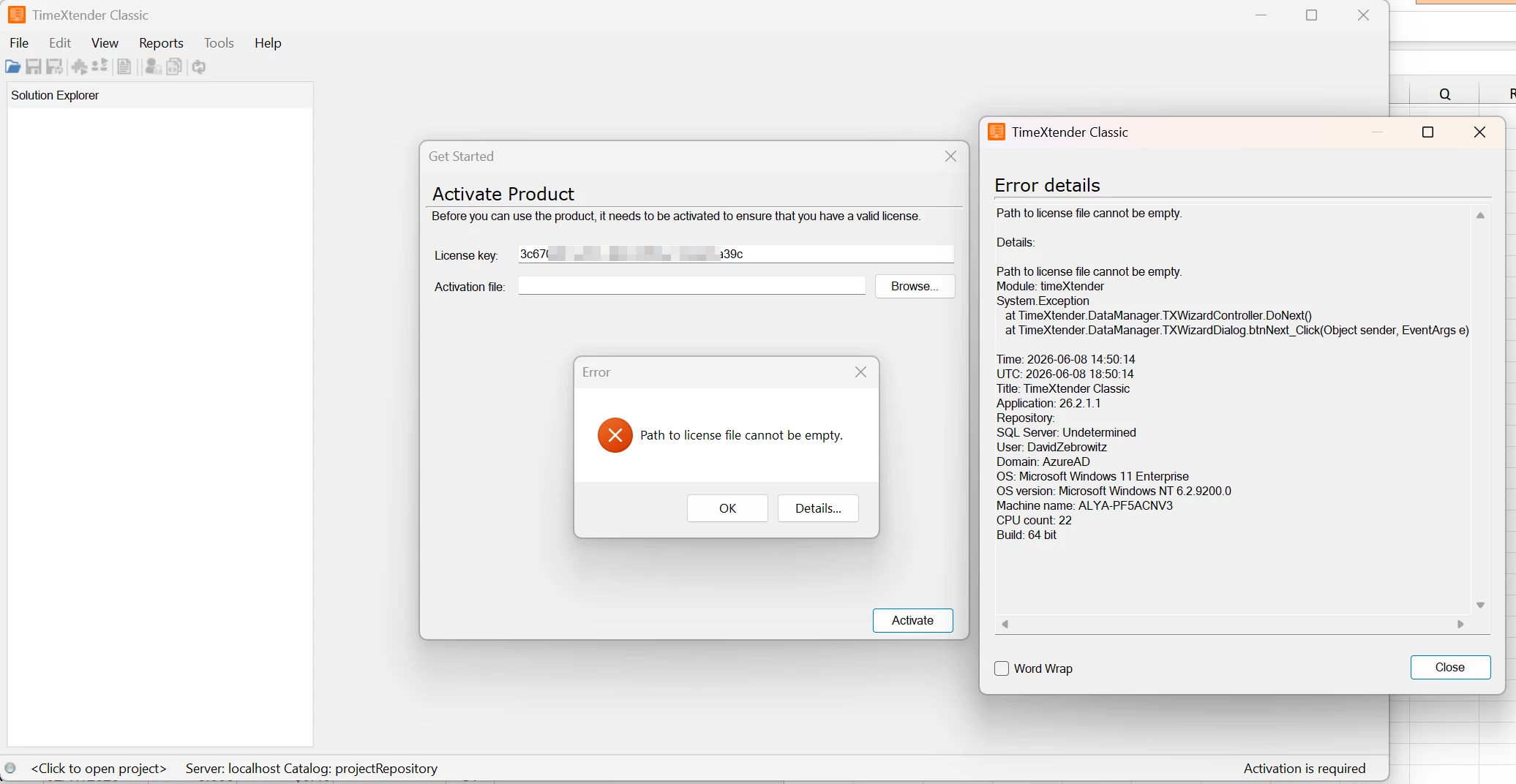
See the below screenshot.  I’ve installed Classic 26.2.1.1 and if I just put in the License Key, it tells me I need to have an activation file.  Never had to do this with 20.10.

Went to download the activation file, and there is not an option for v26.  If I try a 20.10 activation file, it says it’s the incorrect version.

Using the Alithya partner key starting with: 3c67….
 

3 replies

rory.smith
TimeXtender Xpert
Forum|alt.badge.img+8
  • TimeXtender Xpert
  • June 9, 2026

Hi,


instructions for activating Classic are here: Activate TimeXtender Classic | Community


Christian Hauggaard
Community Manager
Forum|alt.badge.img+5

@david.zebrowitz did you manage to activate the Classic license?


Forum|alt.badge.img+1

Yes, the portal was not giving me the option to download a TX Classic v26 activation file or show a TX v26 license keyt.  Support had to go in and fix it. 

This is an issue for all of our 20.10.x customer licenses in the portal.





