Question

Issue scheduler Dev/Test

  • April 29, 2026
  • 4 replies
  • 15 views

Hi,
Recently we updated our TimeXtender application and ODX, and as part of this process we moved our ODX from our development server to the production server.
We are now reconfiguring the scheduler and are running into issues. Our test environment, which runs on the same server as our development environment, is being picked up by the scheduler correctly. However, the development environment is not being picked up by the scheduler.
We have one scheduler running on the dev/test server.
What I have already tried:

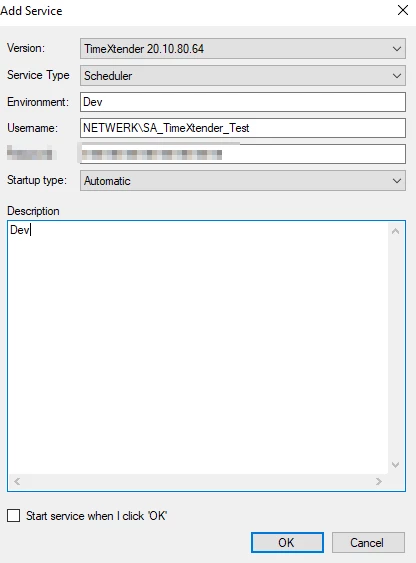
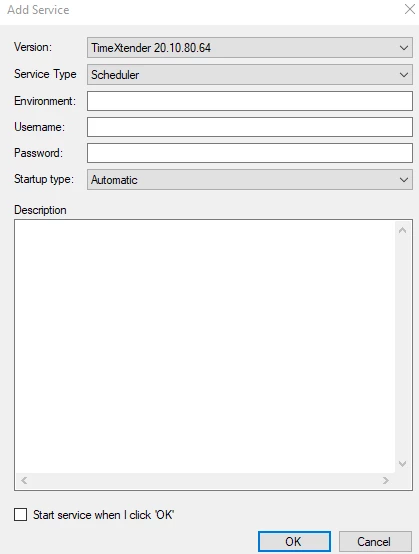
  • Installing a second scheduler service specifically for the Dev environment, using "Dev" as the Environment field value — this did not work. 
  • I used multiple values for env (Dev, Repo name, Servername)

Could you advise on how to configure the scheduler so that it also picks up the development environment? We have multiple SA accounts available. 

Thank you in advance.


4 replies

rory.smith
TimeXtender Xpert
Forum|alt.badge.img+8
  • TimeXtender Xpert
  • April 29, 2026

Hi,

the basic approach is here: Configure Multiple Environments in TimeXtender Classic | Community

One easy thing to forget is that the account running your scheduler service needs to open the TImeXtender application to set up the repository and ODX connection, assuming you have the environment settings and Server services running.


  • Author
  • Participant
  • April 29, 2026

Thanks for your anwser.

I think i skipped this step:
 

- Assign Each Service User to the Associated Environment's Project Repository

for our dev enviroment.

Is it possible to have one SA account voor two enviroments? So i would like to use it for our dev and test scheduler.


rory.smith
TimeXtender Xpert
Forum|alt.badge.img+8
  • TimeXtender Xpert
  • April 29, 2026

Hi,

each user (including service users) has one config with one repository setting. You can only use the same user if you have separate VMs. As a developer you can change the repository settings to connect to a different environment, but a service account cannot do that.

While there may be creative ways to work around that, that will make your setup more fragile.


  • Author
  • Participant
  • April 30, 2026

Hi Rorry,

Thank you for your anwser. I just executed step:  Assign Each Service User to the Associated Environment's Project Repository

I logged in as a different user (SA_TimeXtender_Test). I made a new scheduler services with this account.

Unfortunately, our Dev Execution Package does not pick up the scheduler service. Below is an example of our services: (2. The new Dev scheduler, which is not being picked up by our dev repo 1. Our scheduler which is being picked up by our test repo).

How can i make our dev execution package pick up the new (2) Dev scheduler?

Thank you for your anwser.