Hi @aftabp
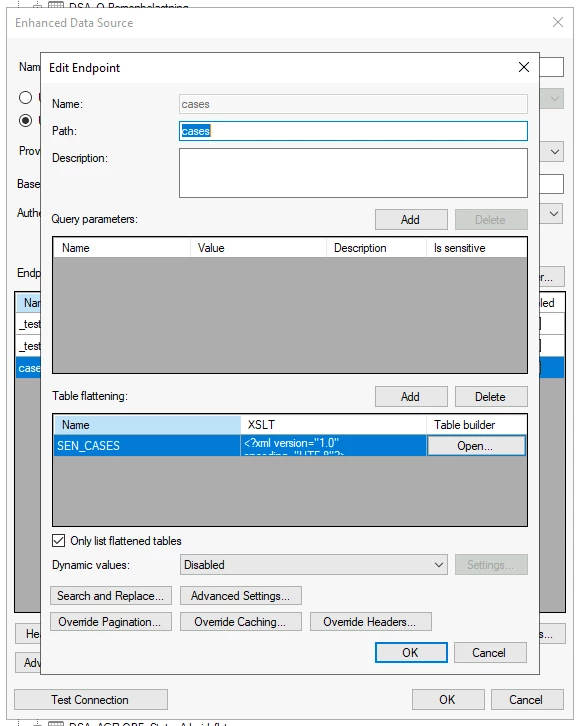
Changing the name in the Name field does not change the field in the XLST code.
What you need to do is to either recreate the whole thing, or by manually opening the generated XLST and locating the following.
<?xml version="1.0" encoding="UTF-8" ?>
<xsl:stylesheet version="1.0" xmlns:xs="http://www.w3.org/2001/XMLSchema" xmlns:xsl="http://www.w3.org/1999/XSL/Transform">
  <xsl:output method="xml" indent="yes" />
  <xsl:template match="/">
    <xbi_root>
      <xsl:apply-templates select="/TX_Autogenerated_Root/TX_Autogenerated_Element/rates" mode="rows" />
    </xbi_root>
  </xsl:template>
  <xsl:template match="/TX_Autogenerated_Root/TX_Autogenerated_Element/rates" mode="rows">
    <mixRates>
      <xsl:element name="ALL">
        <xsl:value-of select="ALL" />
      </xsl:element>
      <xsl:element name="DKK">
        <xsl:value-of select="DKK" />
      </xsl:element>
      <xsl:element name="EUR">
        <xsl:value-of select="EUR" />
      </xsl:element>
      <xsl:element name="date">
        <xsl:value-of select="../date" />
      </xsl:element>
      <xsl:element name="timestamp">
        <xsl:value-of select="../timestamp" />
      </xsl:element>
      <xsl:element name="base">
        <xsl:value-of select="../base" />
      </xsl:element>
    </mixRates>
  </xsl:template>
</xsl:stylesheet>
In this you would need to change the <mixRates> </mixRates> so it fits with the name you want the endpoint to get.