

Answer

error when deploy at table that added hash field

  • December 3, 2025
  • 2 replies
  • 12 views

Hi team 

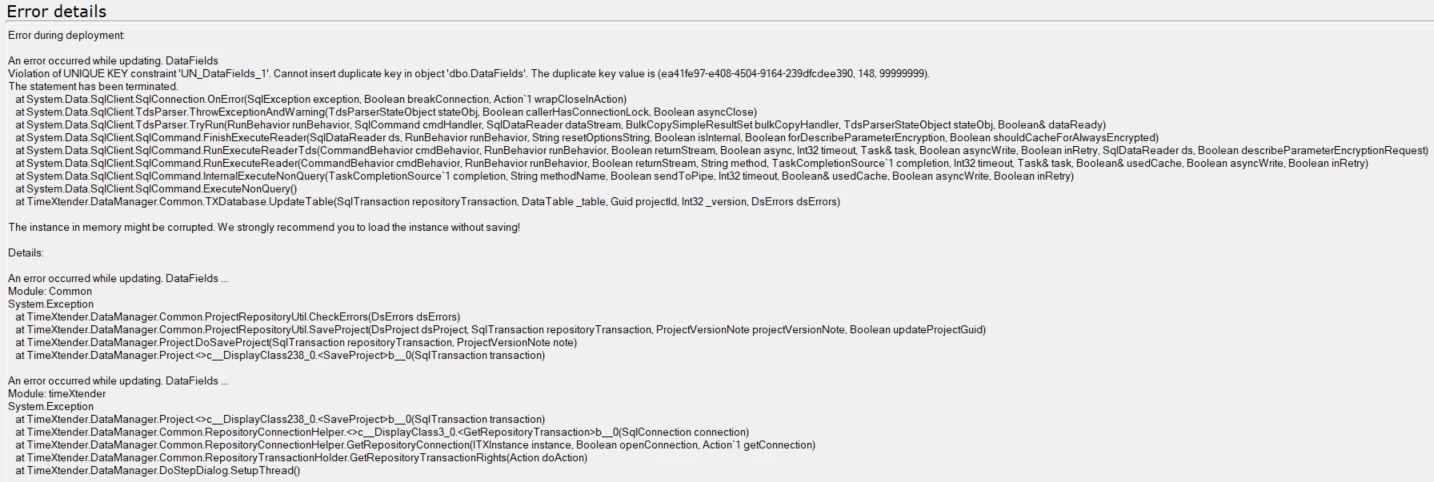
I was recently working on a table where I added a hash field and configured it for incremental loading. However, the initial deployment failed because the table was missing the required column for the incremental process. When I attempted to redeploy to fix it, I hit a roadblock: a duplicate key error in dbo.DataFields with the value (ea41fe97-e408-4504-9164-239dfcdee390, 148, 99999999).



Best answer by rory.smith

Hi,

the errors states the instance in memory might be corrupted - this sometimes means you can close the application without saving and when you reopen, the issue is not there as it was not applied to the repository. If you have saved this state, the error might now be permanent.

If the issue is still there and you are running 20.10.x and comfortable with editing your repository database you could fix that yourself by addressing the duplicate record in the DataFields table. Usually there are two records, one of which is obviously the erroneous one.

If you are on TDI, or don't want to try fixing it yourself - create a support ticket with TimeXtender (either using the https://legacysupport.timextender.com site if you have an account there, or sending an e-mail to support@timextender.com).

2 replies

rory.smith
TimeXtender Xpert
Forum|alt.badge.img+8
  • TimeXtender Xpert
  • Answer
  • December 4, 2025

Hi,

the errors states the instance in memory might be corrupted - this sometimes means you can close the application without saving and when you reopen, the issue is not there as it was not applied to the repository. If you have saved this state, the error might now be permanent.

If the issue is still there and you are running 20.10.x and comfortable with editing your repository database you could fix that yourself by addressing the duplicate record in the DataFields table. Usually there are two records, one of which is obviously the erroneous one.

If you are on TDI, or don't want to try fixing it yourself - create a support ticket with TimeXtender (either using the https://legacysupport.timextender.com site if you have an account there, or sending an e-mail to support@timextender.com).


  • Author
  • Starter
  • December 4, 2025

Yes, I did that, closed the project without save the project and working fine

