Question

Inserting rows into Hsitory-table in order

  • August 26, 2026
  • 4 replies
  • 43 views

Forum|alt.badge.img

So i think i must be missing something or maybe even forgetten.

My dataflow:


  1. I have a Data source connection (dsc) ingesting csv-files from a S3 bucket with an aggregation pattern since the files have the date in the filename to make sure we dont overwrite any files. Each row in each file has a column with the date. So all rows in the file has the same date. The ingestion has a data type override to override all columns to nvarchar(max) since we cant trust the data source.
  2. The data is then transfered to a to a table in a data area as is.
  3.  Next step is with a view for validation and a simple table insert move data to a table with data types we want to work with.

This last table is a History table. Not that we use any scd we simply want to update the data and use the scd-columns to be able to know first seen/last seen stuff.


Problem/question:

Since this last table is a history table, its vital that rows are inserted in the correct order (date order i wrote about in step 1) to not update rows in backwards.

One possible solution is that we only ever keep one file in the area where the dsc reads from

and move/delete files ingested.

I would rather not however since we will have a lot of these kinda dsc’s.


Any thoughts/solutions/funktions in timextender im overlooking?



4 replies

Thomas Lind
Community Manager
Forum|alt.badge.img+5
  • Community Manager
  • August 31, 2026

Hi ​@EmilGilljam 

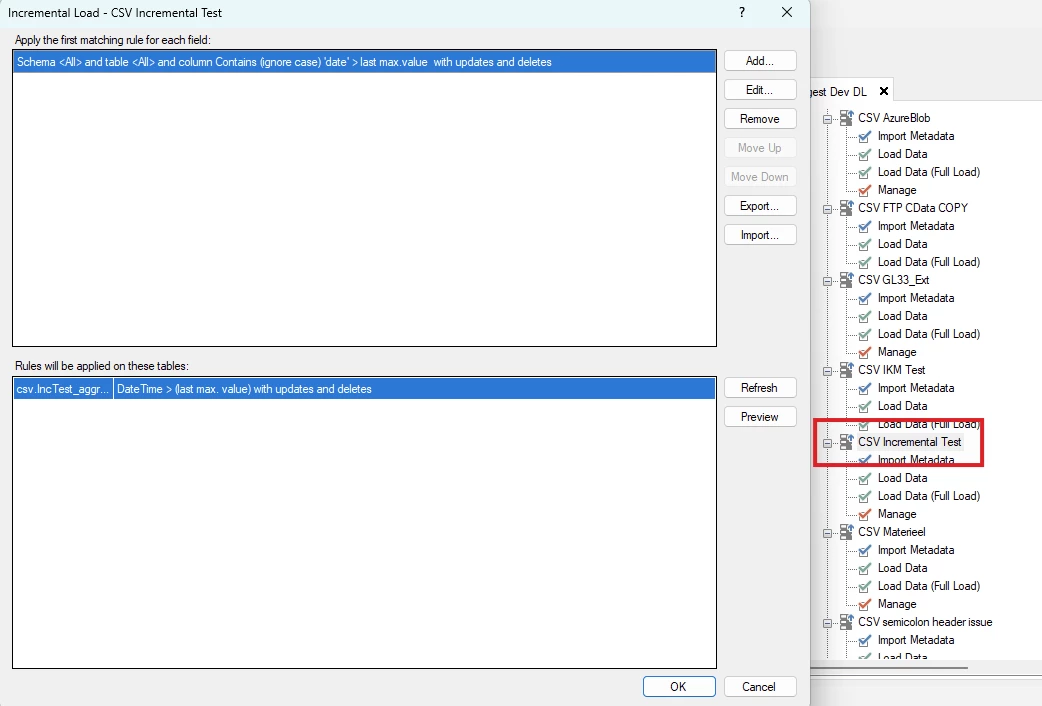
What version of the programs are you on? If you are on TDI we recently released the option of incrementally loading the CSV files. The idea is that it will do it based on files and only add the newest one.

If you don’t have a date field in the file it will not work.

Here is my rule


I aggregate the files into one table, as Incremental load will not work otherwise.


Other than that, it should add the rows from top to bottom from each file.


Forum|alt.badge.img
  • Author
  • Starter
  • September 1, 2026

Thank you ​@Thomas Lind , it is a setup we do run. However i was wondering if there is a feature/function to get this behavior later in the dataflow, like in DSA/DW by a custom order?


Thomas Lind
Community Manager
Forum|alt.badge.img+5
  • Community Manager
  • September 1, 2026

Hi ​@EmilGilljam 

The order will be as in the file, or database table. It will not change the order it adds the data.

If you transfer multiple files with the same row setup in one execution and you have primary keys, it will have to choose one to remain and the others will be shown in the Errors view. This order is as suggested above. It can’t decide to take the last one, it will be the first.

If you want it to be the last version of the row, no ordering can be done to make that happen when it is transferred from source to database.

So if you remove the primary keys entirely. Then you will have all rows across files.

I assume this is what you currently do, or perhaps have a primary key on the date field.

Your option is to create a custom SQL query that only returns the newest version.

There is no feature made for transferring this, but you can order data in a Custom Table Insert.

With Incremental load like I suggested above. The main problem is the same as this, when you are running a full load. However, if you can control what files are in the folder when you decide to run a full load, it will be possible to run this without having to do any custom coding.


Christian Hauggaard
Community Manager
Forum|alt.badge.img+5

Hi ​@EmilGilljam 

Does Thomas’ comment above answer your question? If so please help us by marking a best answer above, if you have any follow up questions then please let us know. Thanks!