



Symptoms
Error while executing TDI transfer task for TimeXtender Excel data source. Error messages received:
Errors:
Input string was not in a correct format.
The given value of type String from the data source cannot be converted to type nvarchar of the specified target column.
Cause
These errors occur due to the incorrect format of the input string when the data types are inferred from the Excel file. This issue can arise if the "number of rows to infer data types" setting is not configured correctly.
Resolution
- Change the "number of rows to infer data types" setting to 0 (i.e., scan all rows to determine data types).
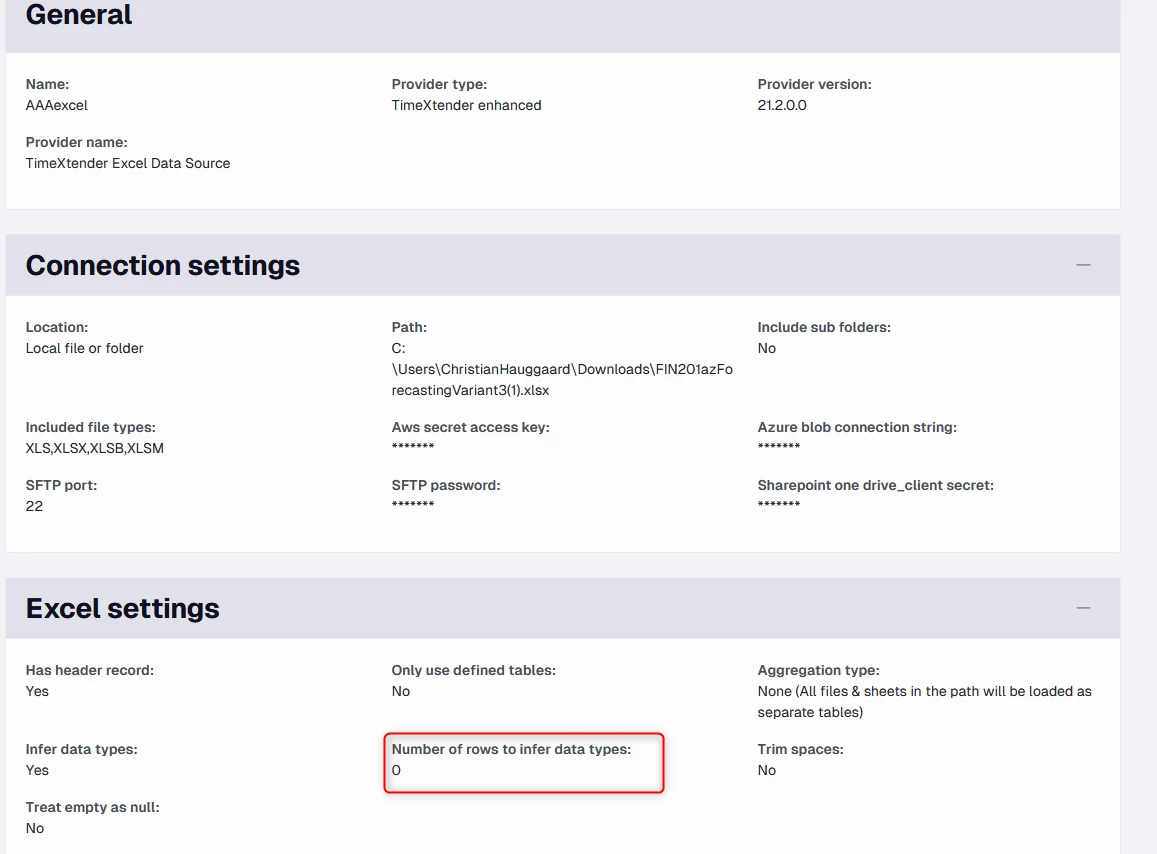
- Execute the import metadata task for the data source in TDI desktop.
- Execute the transfer task for the data source in TDI desktop.
If the issue persists:
- Ensure that no data type overrides or changes are applied to the data source in TimeXtender Data Integration.
- Confirm that the data source is pointing to the correct file.
- Verify the data types in the data source explorer for the data source.
Reference Ticket
31916
