

MCP Server 2.0 & Xpilot Analytics — Early Access Launch
Thank you for participating in our Early Access program. The wait is over — MCP Server 2.0 and Xpilot Analytics are here!
This article explains what you have access to, why it matters, and how to get started with each feature.
1. TimeXtender MCP Server 2.0 — Natural Language Over Governed Models
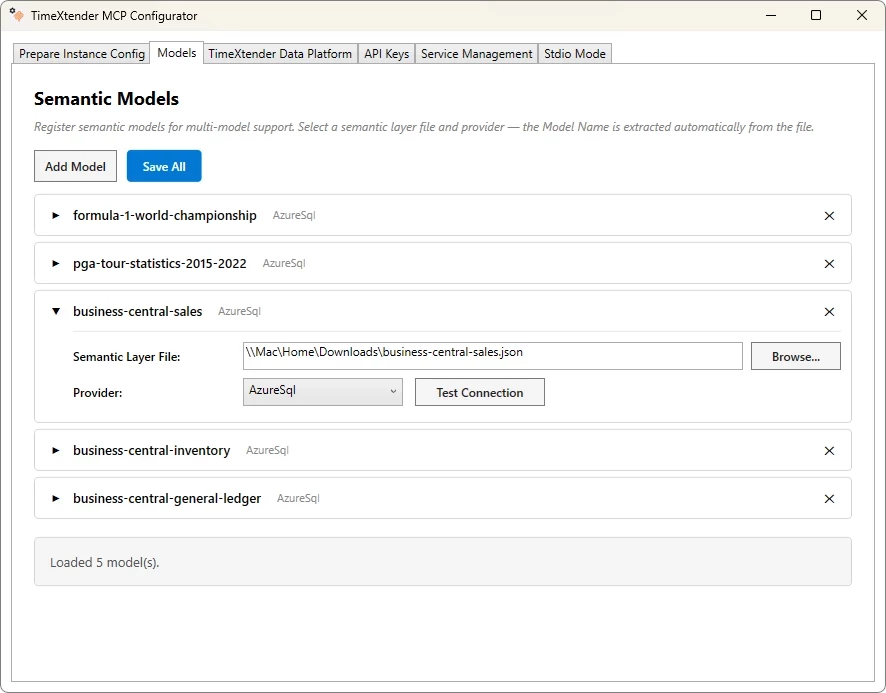
The TimeXtender MCP Server lets AI agents (like Claude or local tools via MCP) query your data through TimeXtender's semantic layer using business terms instead of SQL. It connects to your Deliver instances and exposes governed semantic models over stdio or secure HTTP, with automatic detection and reload when you deploy updated instances.
This means AI can answer questions like "Show Q4 revenue by region" using your approved logic, relationships, and metrics — while respecting domain isolation, read-only safeguards, and audit logging.
See more detail in TimeXtender MCP Server Overview
How to start
-
This feature requires TimeXtender Data Integration released in January 2026 or later.
-
Inside TDI, create a new Endpoint of type TimeXtender MCP Server.
-
Download MCP Server 2.0 and follow the documentation to install and configure it.
Note that if you have upgraded to TimeXtender Data Platform 26.2, select Downloads under your profile avatar to find the download.
What to test
-
Connect the MCP Server to a Deliver instance and verify that business terms from the semantic layer appear correctly in the AI tool.
-
Ask the AI agent a few typical business questions (e.g. revenue by region, customer segments, product performance) and confirm the results match your existing reports.
-
If you have multiple domains (e.g. Sales, Finance), spin up separate services and confirm each only exposes its own semantic layer.
Value to highlight
-
Semantic-first: AI uses governed business definitions, not ad-hoc SQL.
-
Production-ready: zero-downtime semantic updates, audit logs, and read-only enforcement.
-
Flexible: works with cloud-based agents like Claude and fully local models with no external data transmission.
2. Xpilot Analytics — Conversational AI on Your Semantic Models
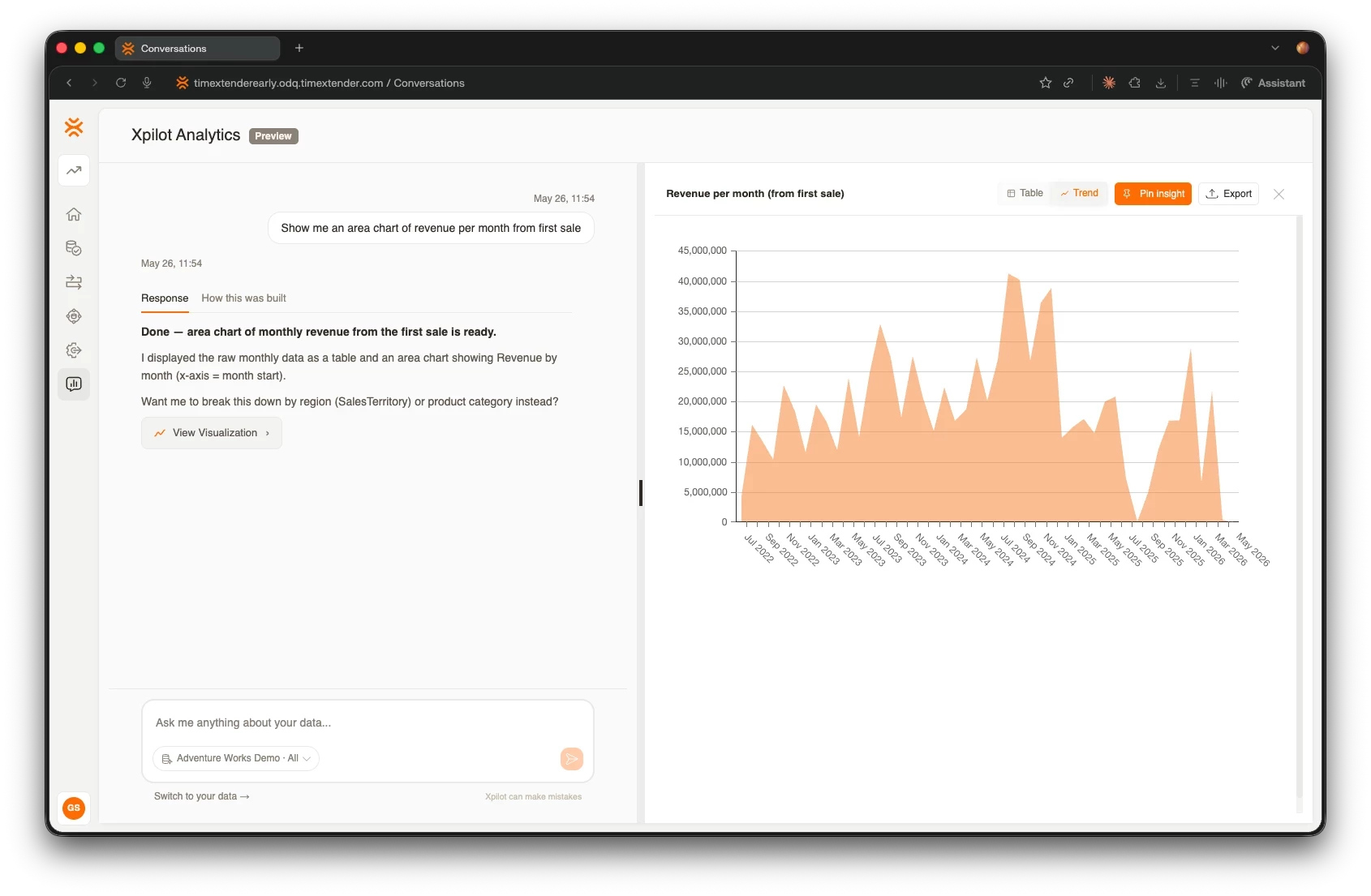
Xpilot Analytics is a conversational AI assistant built directly into the TimeXtender Data Platform. It lets you explore and query your semantic models in plain language, maintaining context across questions within a session so follow-up questions work naturally.
See more detail in Xpilot Analytics Overview
How to start
Xpilot Analytics is available for all customers and partners on TDP 26.2.
To have your service updated, contact us and include your TDP service name to prevent any misunderstanding
-
Support portal: support.timextender.com
-
Email: gsmagnusson@timextender.com
What to test
-
Open Xpilot Analytics and ask a business question in plain language — no SQL needed.
-
Ask a follow-up question that builds on the previous result to verify session context is working correctly.
-
Try questions across different semantic models and confirm results align with your reports.
Value to highlight
-
Natural exploration: business users can query governed data without writing SQL or knowing the underlying schema.
-
Context-aware: Xpilot remembers what you asked earlier in the session, making multi-step analysis feel conversational.
-
Governed: all queries go through the semantic layer — the same read-only, scoped enforcement that applies to MCP Server clients.
3. Xpilot for Data Quality — Generate Rules with AI
Xpilot for Data Quality helps you define and improve data quality by suggesting rules based on your datasets and instructions, and refining them interactively. It works directly in TimeXtender O&DQ, with support for simple and enhanced analysis modes.
Internal testing shows Xpilot can propose useful rules, understand dataset descriptions (especially with enhanced analysis), and work with instructions written in local languages — though you may still see some off-target or duplicate suggestions in certain scenarios.
How to start
Your service needs to be on TimeXtender O&DQ 26.1 or newer. Contact support@timextender.com and specify your service name to request the upgrade.
Once upgraded, follow the Generate Data Quality Rules with Xpilot article in the support portal.
What to test
-
Create a dataset with a clear description and click Generate Rules.
-
Try both simple and enhanced analysis and compare how relevant the suggestions are.
-
Modify the instructions (e.g. focus on completeness, uniqueness, valid codes) and regenerate to see how Xpilot adapts.
-
Preview rules and validate that the generated SQL and logic match your expectations. If you see issues, use Ask Xpilot to fix the error and iterate.
Value to highlight
-
Speed: drastically reduces time to a first set of useful data quality checks.
-
Guided authoring: gives less technical users a way to create and refine rules without starting from a blank page.
-
Real-world fit: supports large tables and complex scenarios, with active improvements based on partner and customer feedback.
4. Xpilot Orchestration Error Insights — AI Help for Failed Runs
Orchestration Error Insights makes it much easier to understand and fix package failures in Orchestrator. Instead of long, noisy logs you get a cleaned-up error view and AI suggestions for likely causes and next steps — covering script-based packages like DataTransfer, PowerShell, and CommandLine.
How to start
Your service needs to be on TimeXtender O&DQ 26.1 or newer. Contact support@timextender.com and specify your service name to request the upgrade.
Once upgraded, follow the Orchestration Xpilot Error Insights article in the support portal.
What to test
-
Trigger a few controlled failures in a test environment and open the error in Orchestrator.
-
Compare the Error log vs Full log to see if the filtered view makes the problem easier to understand.
-
Review Xpilot's suggestions: do they help you diagnose and fix the problem faster than reading the raw logs alone?
Value to highlight
-
Faster troubleshooting: less time digging through logs, more time fixing issues.
-
Self-service: helps engineers solve common issues without always escalating to support.
-
Consistent experience: log-based guidance directly in the UI.
Share Your Feedback
Your experience with these features directly shapes what we build next. We would love to hear from you — what works well, what is confusing, and what is missing for production use.
Please be in touch with Xpert Services, Customer Support or your technical representative at TimeXtender or partner. You can also always contact Gunnar Steinn product manager for MCP server and Xpilot directly: gsmagnusson@timextender.com
